The best contract tools for consultants depend on which part of the job you need covered. To sign contracts clients send you for free, use PandaDoc. For cheap, unlimited sending, try SignWell. For contract templates, go with Bonsai and to use AI to run a risk analysis before you sign, use Kiaro.
Finding a contract tool that supports legally binding signatures solves only one problem. It leaves out what happens before and after you sign.
Before, you're reading a client's 12-page agreement and miss the clause that caps your fees or hands them your IP. After that, you're forgetting a notice date on a $4,000-a-month retainer and missing a planned 10% rate increase.
Below, we're comparing five contract tools for consultants that'll help you avoid the above mishaps, including what each tool costs and where each one falls short.
Quick overview: contract tools for consultants
In a rush? Here is a glance at some of the best contract tools for consultants.
| Tool | Best for | Starting price | AI contract review | Status tracking | E-signature |
|---|---|---|---|---|---|
| PandaDoc | Turning proposals into contracts | Free with paid plans from $35 per month | No | Yes | Yes |
| DocuSign | Consultants who want pure e-signatures | From $15 per month | AI summary only | Yes | Yes |
| Bonsai | Industry-specific contract templates | From $25 per month | No | Yes | Yes |
| Kiaro | End-to-end solution built around the entire consulting workflow | Free with paid plans from $29 per month | Yes | Yes | No |
| SignWell | New solo consultants on a budget | Free with paid plans from $12 per month | No | Yes | Yes |
The best contract tools for consultants
PandaDoc
| Starting price | Free plan with paid plans from $35 |
| Free trial | Yes |
| Best for | Turning proposals into contracts |
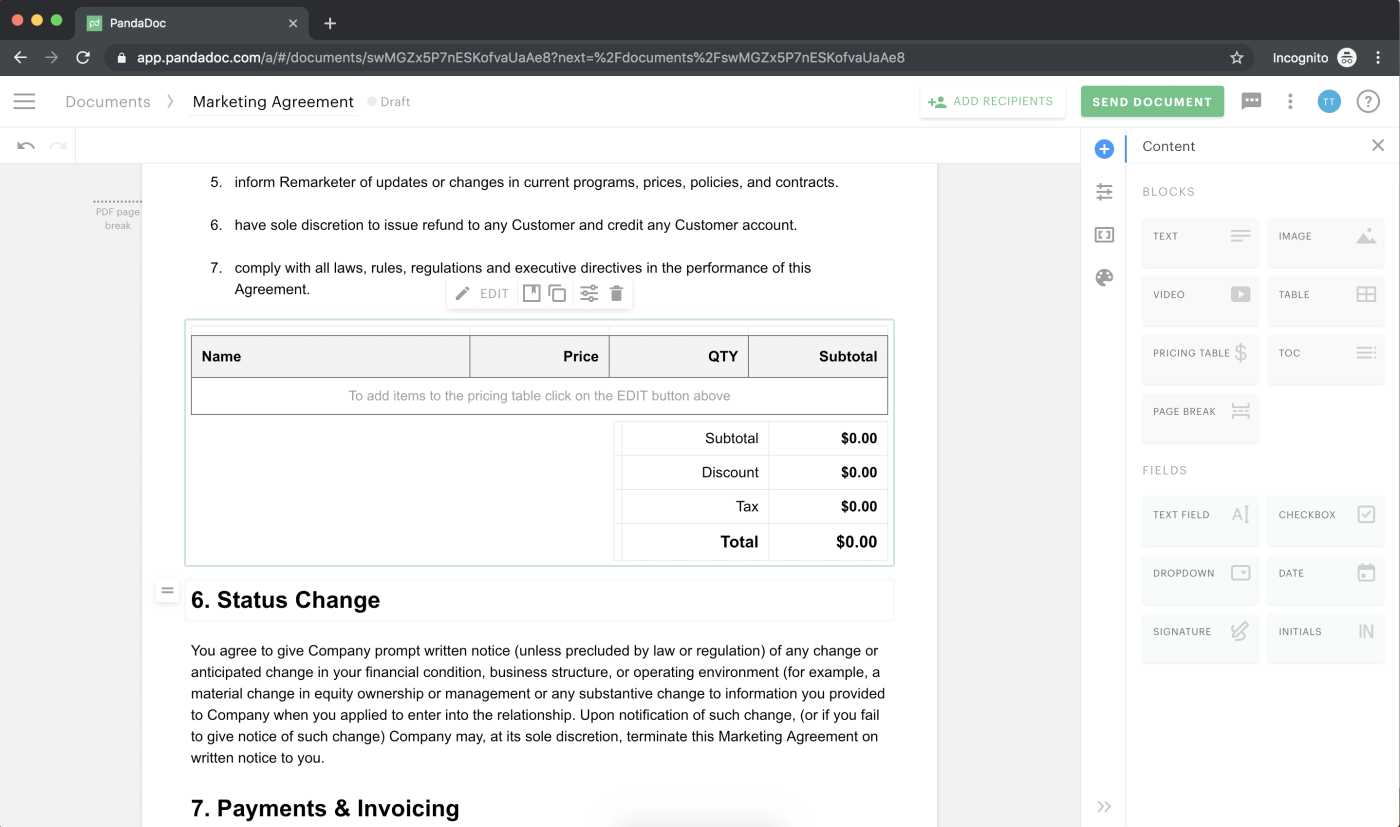
PandaDoc is a useful tool for consultants where the first step in every agreement is a proposal. With its easy-to-use drag-and-drop interface, you can create professional-looking documents in seconds.
The tool also comes with content library functionality (only available on the Business Plan), helping your team populate documents with pre-approved items. If you don't mind paying the $49 per month, you can also unlock document analytics.
Arguably, one of its most powerful features for consultants is PandaDoc's templates. Consultants can create master copies of documents and choose from 1,000s of templates, including consulting-specific options.
What PandaDoc does well
- Combining proposals and contracts in one flow
- Document activity analytics, but only available on the Business Plan
- Native Salesforce, HubSpot, and Pipedrive integrations
- 1,000+ templates including consulting-specific options
Where PandaDoc falls short
- Contract analytics and renewal reminders are add-ons via PandaDoc's CLM and not part of the core plans
- The free plan is limited to 5 documents and signatures per month
- Contract repository and AI search are only available from the paid plans
- Doesn't serve the full consulting workflow (invoicing, time tracking, CRM, etc.), increasing the size of your tech stack
DocuSign
| Starting price | $15 per month |
| Free trial | No |
| Best for | Pure e-signatures |
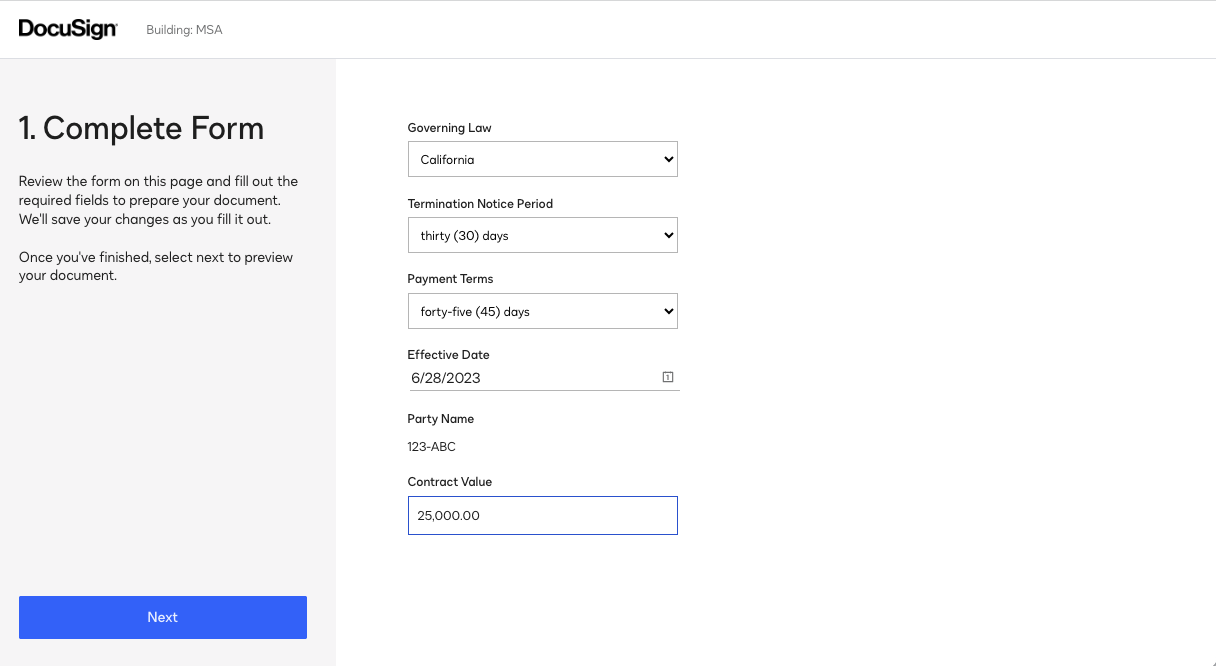
DocuSign is an industry favourite for e-signatures. The tool is easy to use, builds trust with clients, and lets you sign agreements from anywhere.
For new consultants, the price is affordable. The paid plan starts at $15 and gives you five envelopes per month. However, if you're going to be requesting e-signatures on various documents at a much higher volume, DocuSign does become an expensive option.
It's also not a complete contract tool. The e-signature product does only that, unless you take an upgrade called the IAM Contract Lifecycle Management platform. AI can help you surface risky clauses in agreements, auto-populate documents with data from your CRM, and create contracts dynamically.
What DocuSign does well
- AI-assisted agreement summaries
- Mobile and desktop signing
- Legally binding e-signatures and payment collection at signing
- Contract lifecycle management (only part of the IAM product)
- Renewal tracking if you upgrade to IAM
Where DocuSign falls short
- AI features and contract lifecycle management only available on the IAM product starting at $65 per month
- Limited to 5 envelopes per month unless you take an annual plan and upgrade to the Standard plan to unlock 100 envelopes
- No consulting-specific template pack
Bonsai
| Starting price | From $25 per month |
| Free trial | Yes, 7 days |
| Best for | Industry-specific contract templates |
Bonsai is more than a contracting tool. It's an all-in-one workspace for managing your time, invoicing and proposals.
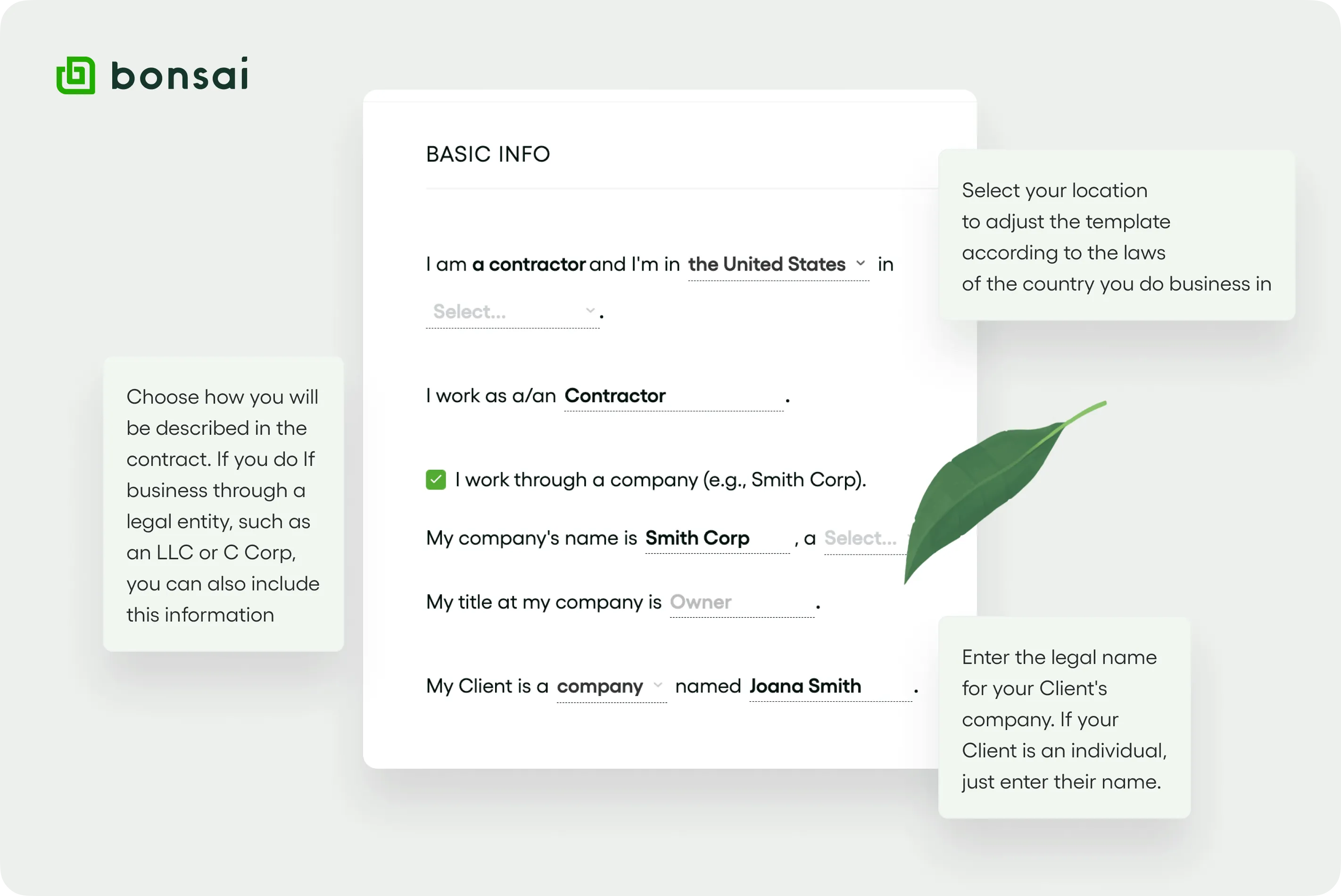
But what separates it from other solutions on the market is its contract templates. Bonsai comes with industry-specific agreements you can edit, customise, and save as your own templates. Once a client signs a contract with a legally binding e-signature, Bonsai can automatically collect a deposit.
However, you do need to be on one of the higher-tier plans to access contracts, invoicing and proposal functionality, and if you're a small agency, the per-user pricing adds up fast.
What Bonsai does well
- Industry-specific editable contract templates
- Legally binding e-signature
- Deposit capture when a client approves a contract
- Open receipts, client reminders and contract date reminders
Where Bonsai falls short
- No free plan, and the Basic plan doesn't offer much value for consultants
- Contracts are gated behind the Essentials plan ($25 per month)
- Per-user pricing adds up quickly for a small agency
Read more: HoneyBook vs Bonsai vs Dubsado: an honest comparison for solo consultants
Kiaro
| Starting price | Free forever plan with a paid plan starting at $29 per month |
| Free trial | 30-day trial for the paid plan |
| Best for | End-to-end solution built around the entire consulting workflow |
Kiaro is a business operating system built for solo consultants and small agencies. While it doesn't have the same functionality as DocuSign (there are no contract templates or e-signatures), it does help you incorporate contracts into your workflow and analyse documents through a single tool.
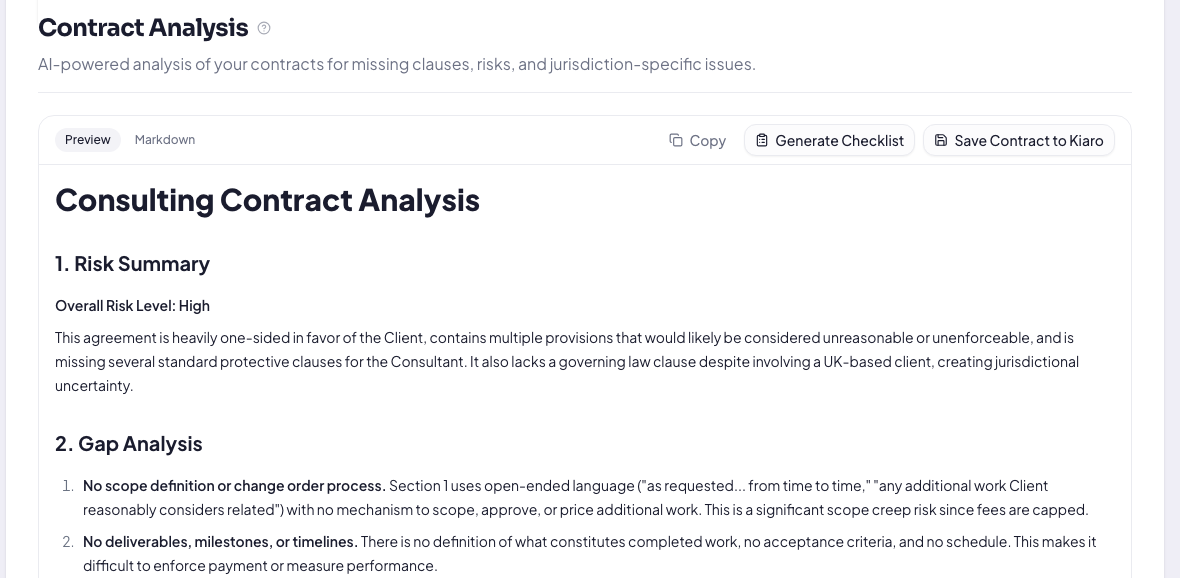
Once you upload a contract, Kiaro will comb through the document and give you an AI risk analysis. It will highlight any missing clauses, give you a severity rating and note any other red flags before you sign.
Catch the risky clause before you sign
Kiaro runs an AI risk analysis on any contract you upload, flags missing clauses and red flags, and warns you before a renewal lapses. Free, no credit card.
Kiaro also sends expiry warnings before renewals lapse and gives you a place to store your contracts, with a dashboard showing value, payment terms, and duration.
What Kiaro does well
- AI risk analysis for contracts
- Contracts, proposals, invoicing and time tracking all in one tool
- Free plan forever for up to three clients
Where Kiaro falls short
- No contract templates
- No legally binding e-signature
- You'll need to combine it with a pure signing tool like SignWell
SignWell
| Starting price | Free plan with paid options from $12 per month |
| Free trial | No |
| Best for | New solo consultants on a budget |
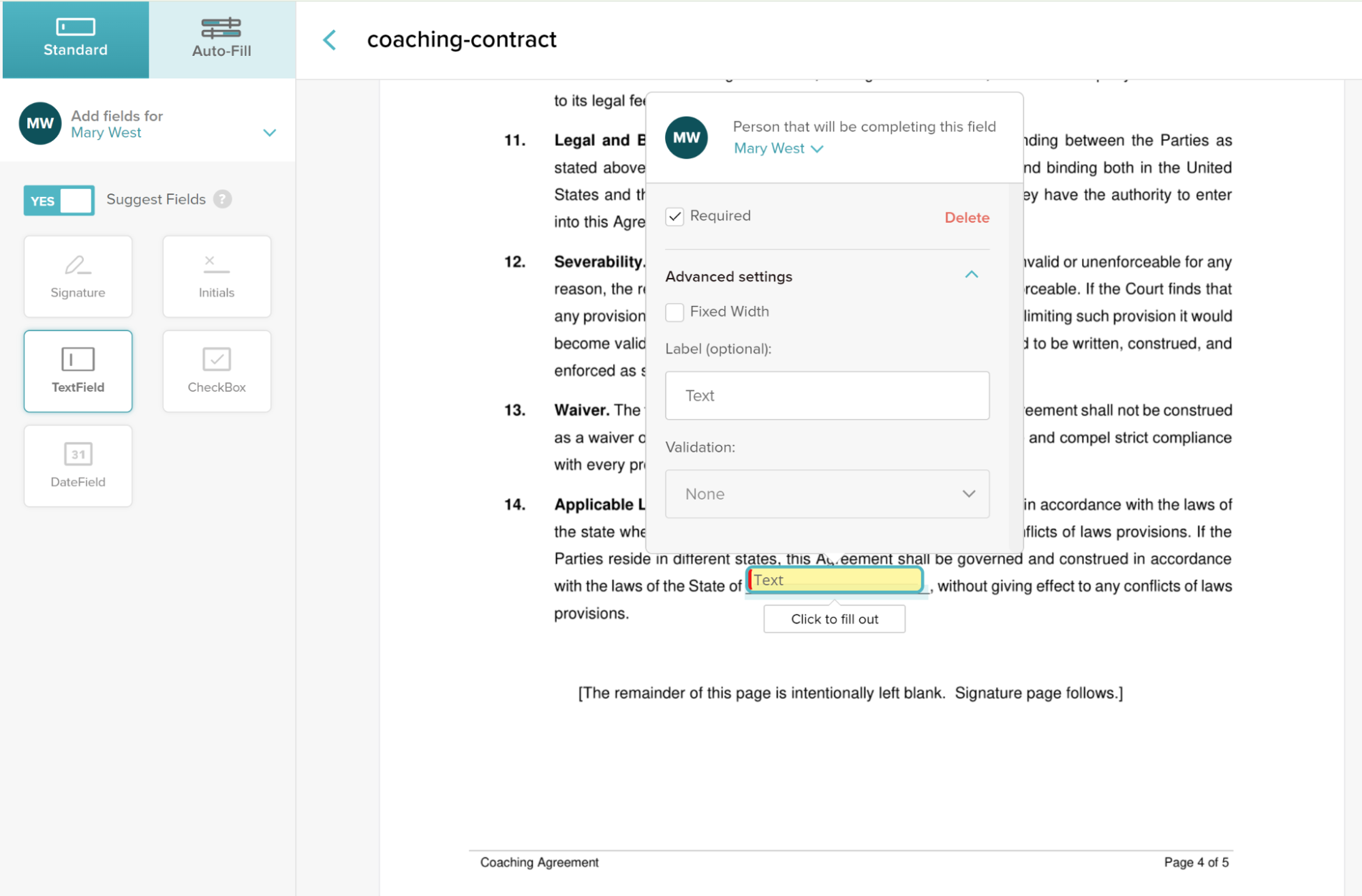
SignWell is a no-frills e-signature software. Unlike DocuSign, documents are unlimited on all plans, and you pay per sender, not per envelope.
With paid plans starting as little as $12 per month, it's the cleanest option for new consultants who only need a compliant e-signature.
The one drawback is that SignWell doesn't have a contract template. However, you can build reusable templates for your most common documents. So if you have a contract you can recreate, it's a workable solution.
If you team SignWell up with Kiaro, you've covered all your bases for a complete consulting workflow from lead to invoice.
What SignWell does well
- Unlimited documents on paid plans, with no envelope counting
- Signers don't need an account
- Audit trail and tamper-proof electronic signature
- Instant notifications on opens, views, and completions
Where SignWell falls short
- Limited to five templates per sender unless you upgrade to Business ($30 per month)
- No link to your proposals, projects or invoices
- No contract template
Which contract tool should you use?
The best contract tool depends on what you need in your consulting business.
If you don't create contracts yourself, but receive legal documentation from clients, Kiaro's AI contract analysis (available on the free forever plan) is the best option.
If you want the most budget-friendly e-signature tool but don't need a contract template, SignWell does the job with a free plan and an affordable paid plan. If you want a tool with consulting-specific templates, give Bonsai or PandaDoc a try.
Frequently asked questions
Do consultants need contract lifecycle management (CLM) software?
Most consultants don't need a CLM platform. It's usually for in-house legal teams. Solo consultants and small agencies need a trusted template, a legally binding e-signing tool, and the ability to manage the entire consulting workflow from one dashboard rather than multiple stitched-together tools.
What should a consulting contract include?
A consulting contract should include the following: scope and deliverables, fees and payment terms, confidentiality, intellectual property clause, termination process, and notice periods.
Should the contract and the statement of work be separate documents?
Yes. Your statement of work allows you to go into detail about what's included and what isn't included. It covers the timeline, fees for additional tasks, and helps you avoid scope creep as much as possible.