The product
13 tools. One app. Nothing to connect.
Clients, time, proposals, invoices, payments. Every part of the practice, already talking to each other.
Invoices, retainers, and projects are unlimited on every plan, even Free. Paid plans add white-label branding, Xero accounting sync, a higher client ceiling, and a stronger AI model.
From timesheet to billable in under a minute.
Clients & CRM
Every client relationship in one place, from first conversation to ongoing engagement.
- Client profiles with status, industry, value, and notes
- Multiple contacts per client, role-tagged, with an auto-selected primary for proposals and invoices
- Lead pipeline that advances on its own as you hold meetings and send proposals
- One client page linking their projects, invoices, proposals, and contracts
- AI re-engagement drafts for clients who have gone quiet
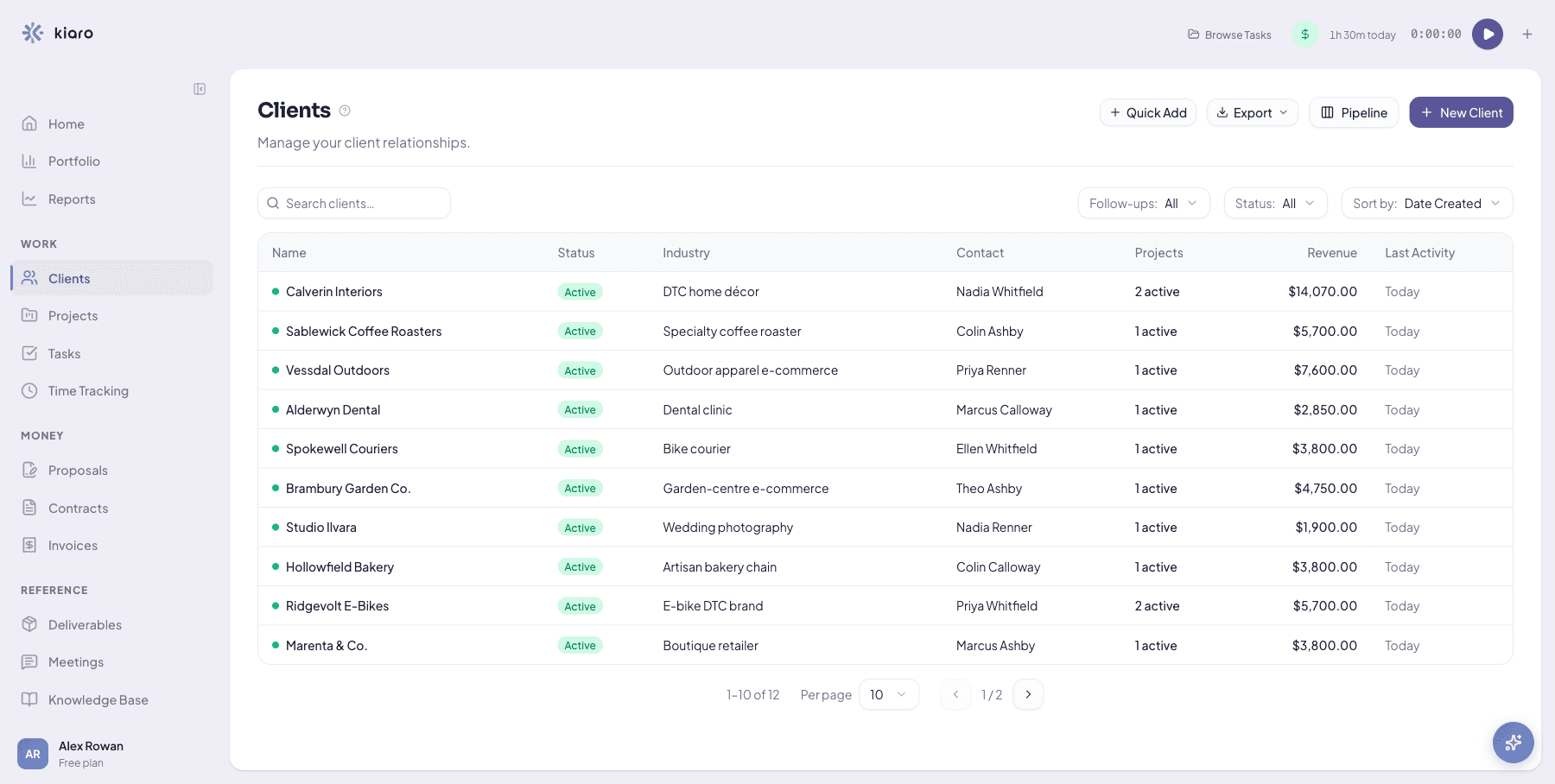
Every client relationship in one place, no more digging through email threads. Start free
Clients & CRM documentationProjects & Tasks
Break work into projects and tasks, and see it the way you think.
- Projects tied to a client with budget, rate, and timeline
- Tasks with status, priority, estimated hours, and due dates
- List or kanban view with drag-and-drop
- Quick-add a task from anywhere with the T shortcut
- Deliverables to track what you owe, with files clients can download
Break down the work in the same app that bills it. Start free
Projects & Tasks documentationTime Tracking
Every minute is linked to a task and project, so you always know what to bill.
- One-click timer on every page, with auto-pause so nothing runs overnight
- Weekly timesheet grid, plus manual entry and reusable templates
- Billable tracking with configurable rounding
- Turn uninvoiced time into an invoice in one click
- A nudge to bill when a project crosses $500 of unbilled time
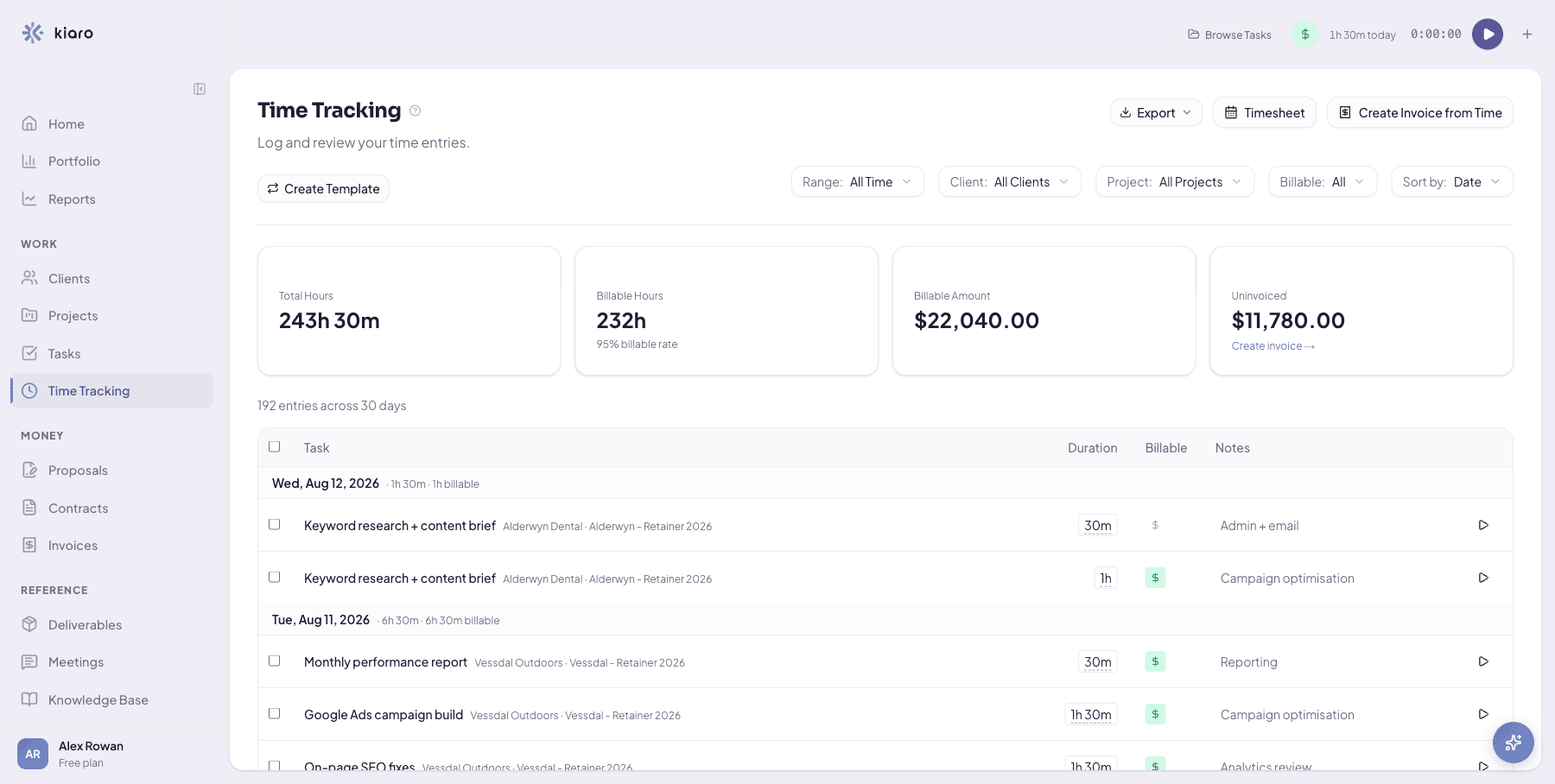
Turn today's tracked time into an invoice, not a spreadsheet. Start free
Time Tracking documentationReports
Turn tracked time into decisions: what you really earn per hour, where money leaks, and where your time goes.
- Your effective hourly rate, so you see what you actually earn
- Spot money leaks: unbilled time and clients quietly under your rate
- See where your hours really go, by client and across the week
- Catch projects drifting over budget or past their estimate
- Team utilization at a glance, on the Team plan
- Just ask: how did my time go this month?
See your real hourly rate for the first time. Start free
Reports documentationRetainers
Bill a flat monthly fee against an hours allowance, and let overage handle itself. Unlimited retainers on every plan, including Free.
- A flat monthly fee with an included-hours allowance per client
- Live burn-down: hours used, overage accruing, and the next invoice estimate
- Overage billed automatically on the same invoice, with no manual math
- Bill in advance or in arrears, on any billing day, with mid-cycle proration
- Invoices auto-draft on the billing day, or on demand with Invoice now
Let overage bill itself instead of doing the math by hand. Start free
Retainers documentationInvoicing & Payments
Bill any way you work, and get paid without leaving Kiaro.
- Invoice from tracked time or completed milestones in one click
- Hourly, fixed-price, milestone, or retainer billing
- Branded PDF with a Stripe payment link, sent by email
- Scheduled send and automatic overdue reminders
- AI-drafted, tone-aware payment follow-ups
- Two-way Xero sync on Solo and Team
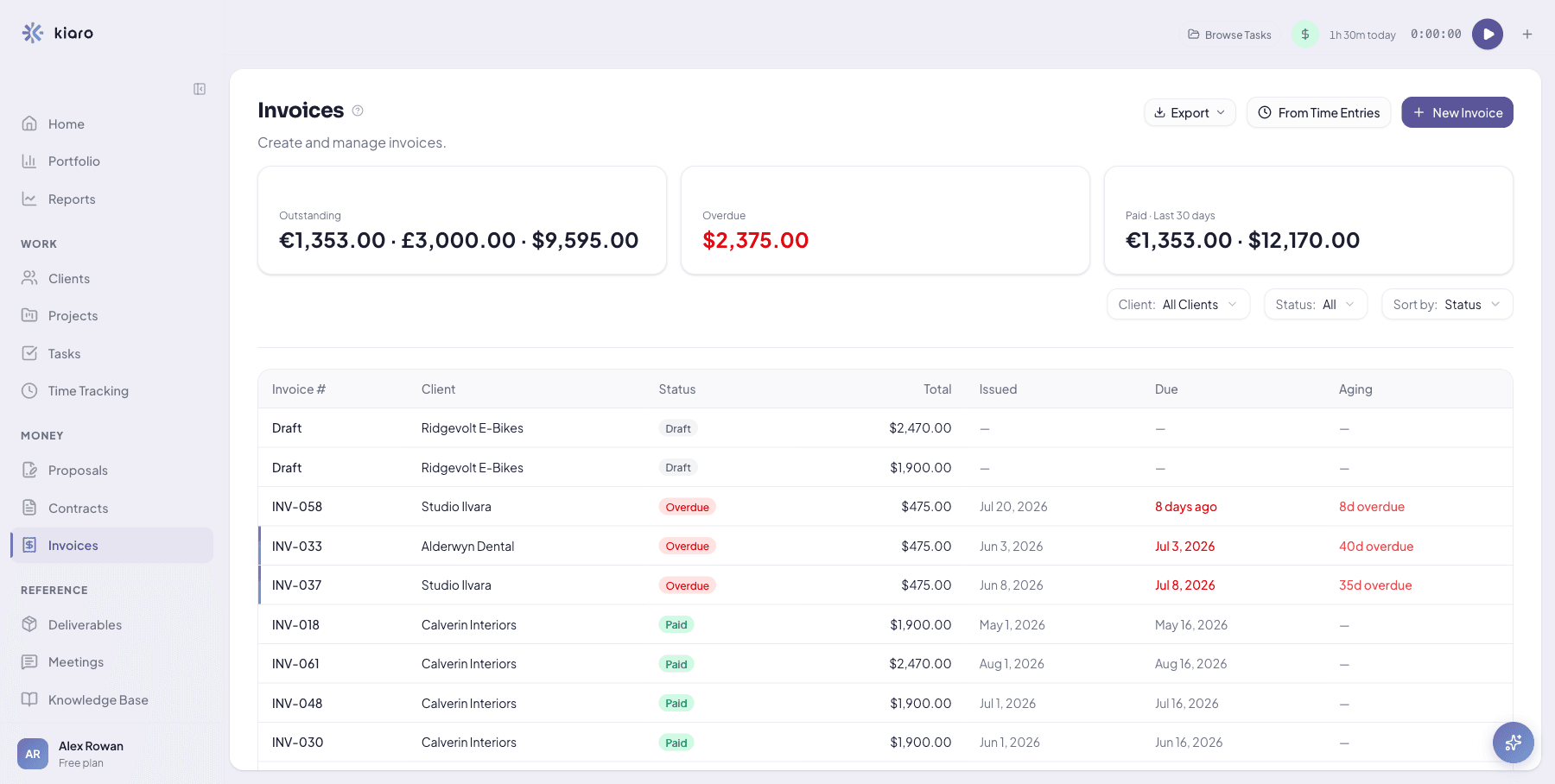
Get paid without leaving the app you tracked the time in. Start free
Invoicing & Payments documentationProposals
Draft, send, and close, in one flow.
- Draft with AI from a scope and budget, start from a template, or write from scratch
- A reusable content library for the sections you send every time
- A structured pricing table with optional line items
- Send by email with a branded PDF and a portal link
- Clients accept or decline in the portal, with signer, timestamp, and IP logged
- Convert an accepted proposal into a project in one click
Go from scope to signed proposal in minutes, not a Friday afternoon. Start free
Proposals documentationContracts
Store contracts, track expiry, and run AI analysis before you commit.
- Store contracts with client, value, terms, and the signed file
- Status tracking with expiry warnings before renewals lapse
- AI risk analysis: severity rating, missing-clause gaps, and red flags
- A plain-English checklist to take to your lawyer
Know what you're signing before you sign it. Start free
Contracts documentationClient Portal
A self-service hub where clients track work, review documents, and pay. One magic link and they are in.
- One magic link, with no account for your client to manage
- Choose exactly which sections each client can see
- Clients pay invoices via Stripe, accept proposals, and download deliverables
- Your logo and brand colour on Solo and Team; Kiaro-branded on Free
- Preview the portal exactly as your client will see it
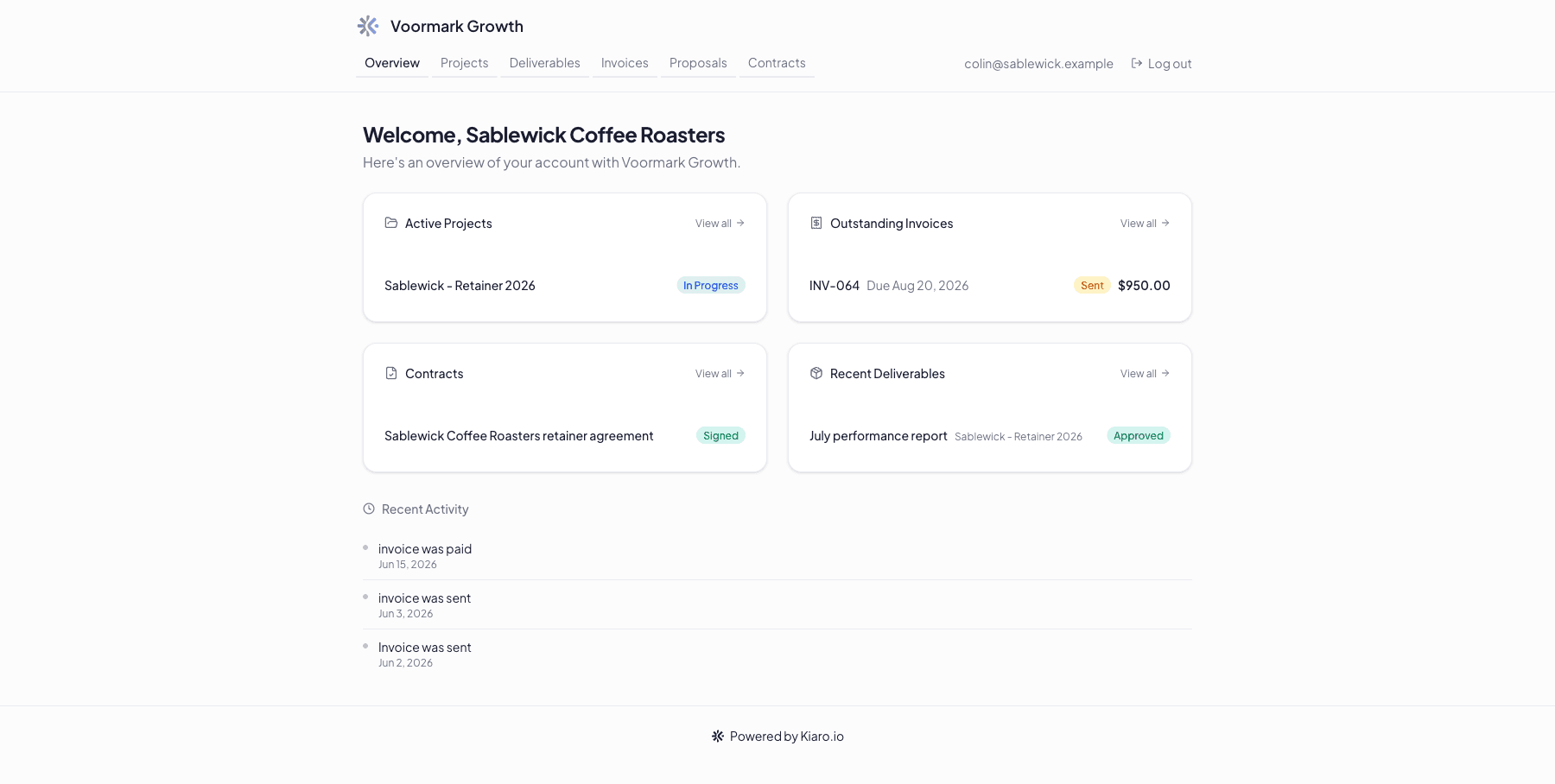
Give every client their own home base, no password required. Start free
Client Portal documentationMeetings
Turn a transcript into everything worth remembering.
- Paste a transcript, upload a file, or type notes
- AI extracts a summary, action items, key decisions, and follow-ups
- Turn any action item into a tracked task in one click
- Link meetings to the client and project
Never write a follow-up email from a blank page again. Start free
Meetings documentationKnowledge Base
Keep the processes, frameworks, and lessons your work produces.
- Articles with rich text, files, and links, organised by category and tag
- Link any article to a client or project, and pin what matters
- AI auto-capture pulls lessons from completed work
- Search and filter across everything
Reuse what you already figured out, instead of solving it twice. Start free
Knowledge Base documentationAI Command Bar
Press Cmd+K, say what you need in plain English, and the AI handles the rest. Nothing touches your data until you approve it.
- Reads run instantly; every write is staged as a plan you approve first
- Actionable briefings: answers come back as cards you can act on, like send reminder, mark paid, or start timer
- Dedicated AI tools: contract analysis, proposal drafting, knowledge capture, re-engagement, and time estimates
- Matches your writing voice with a workspace style guide
- 100 commands/month on Free; unlimited on Solo and Team
Try it yourself: press Cmd+K the moment you're in. Start free
AI Command Bar documentationDashboard & Reporting
See where the business stands, and what to do next.
- An AI home with smart suggestions and quick actions
- A KPI dashboard: revenue, outstanding, hours, and utilization, with trends
- Set targets for revenue, hours, and utilization
- Daily and weekly email digests of your priorities, on the days you choose
- Export any list to CSV, or your full workspace from Settings
Open Kiaro and know exactly what needs you first. Start free
Dashboard & Reporting documentationStart today
Everything above, free to start.
Start with a free account. Upgrade when your practice outgrows it.