The best time tracking software for consultants comes down to how you bill, not to how many features a tool has. If you bill hourly and invoice separately, use Toggl Track or Clockify. If you want time to flow into invoices without a manual step, use Harvest or Kiaro. If you never remember to start a timer, use Timely.
Most consultants are losing money. Not because of bad rates or project scope, but because of a leak in their time-tracking logs.
- A 20-minute unlogged client call here.
- A 10-minute task that fell between the cracks over there.
Thirty minutes of lost time does not seem like a big deal until you start doing the maths. If you add up all of the small chunks, 10 hours of missing logs at $150 per hour turns into a loss of:
- $1,500 per month
- $18,750 per year
Yikes.
To stop the leak, the best time tracking software for consultants needs to be built around billing. An extensive feature list is a nice-to-have, but it is fluff. What you need is a straightforward tool that captures every billable minute without getting in your way.
Here is a look at six time tracking tools, their strengths and weaknesses, and which billing features are non-negotiable.
Quick overview: the best time tracking tools for consultants in 2026
Short on time? Here is a glance at the tools that meet the billing and time-tracking needs of consultants.
| Tool | Best for | Starting price | Billing increments | Multiple rates | Invoice connection |
|---|---|---|---|---|---|
| Toggl Track | Simple, reliable standalone time tracking | Free, paid from $10/month | Yes (Starter and up) | Yes | Via integration |
| Clockify | Time tracking at the lowest possible cost | Free, paid from $4.99/month | Yes (paid plans) | Yes | Via integration |
| Harvest | Time-to-invoice without extra steps | Free, paid from $11/month | Yes | Yes | Native |
| Bonsai | Time tracking with other premium business features | Paid from $15/month | At invoice stage | Yes | Native |
| Timely | Automatic time tracking without manual timers | Paid from $11/month | No | Yes | Via integration |
| Kiaro | Time tracking built around the consultant-client billing relationship | Free, paid from $29/month | Yes | Yes | Native |
How consultants are losing money before sending a single invoice
The problem of incorrect billing for consultants is not only forgetting to turn on a timer. There are three parts to it, and each one is causing you to lose money in your business.
The spreadsheet trap
When you start consulting, a spreadsheet is the go-to tool for keeping track of your time. It is free, it lives on your phone or computer, and it takes only a couple of minutes to set up.
The problem? It is manual.
If you forget to log something, it does not send an alert. It does not enforce billing increments, and it does not automatically connect to an invoice. At the end of the month, you have to do data entry, which is another time-waster.
The billing increment problem
Many consultants set a minimum billing unit in their contracts. The standard practice is 15 minutes, with partial increments rounding up. It only protects your revenue if your time-tracking tool can enforce it.
For example, a 22-minute call with a client becomes 30 minutes. At $150 an hour, that is $75. If your time-tracking tool has no increment setting and rounds down to the nearest minute, you will end up charging only $55.
A $20 difference on a single entry, across every call, every week.
The time-to-invoice gap
When your time tracking lives in one tool and your invoices in another, your workflow becomes more manual than it needs to be.
You have to spend time transferring the entries, which increases the risk of human error. An entry could be miscategorised or missed completely, creating another leak.
The fix is to use a tool where time tracking and invoicing live in the same place.
Stop the leak before the invoice
Kiaro keeps time tracking and invoicing in one place, with billing increments enforced on every entry, not just at invoice time. Free forever with unlimited invoices, no credit card.
The best time tracking tools for consultants in 2026
Toggl Track
| Starting price | Free / $10/month (Starter) / $20/month (Premium) |
| Free trial | Yes, 30 days |
| Best for | A simple standalone time tracker with separate invoicing |
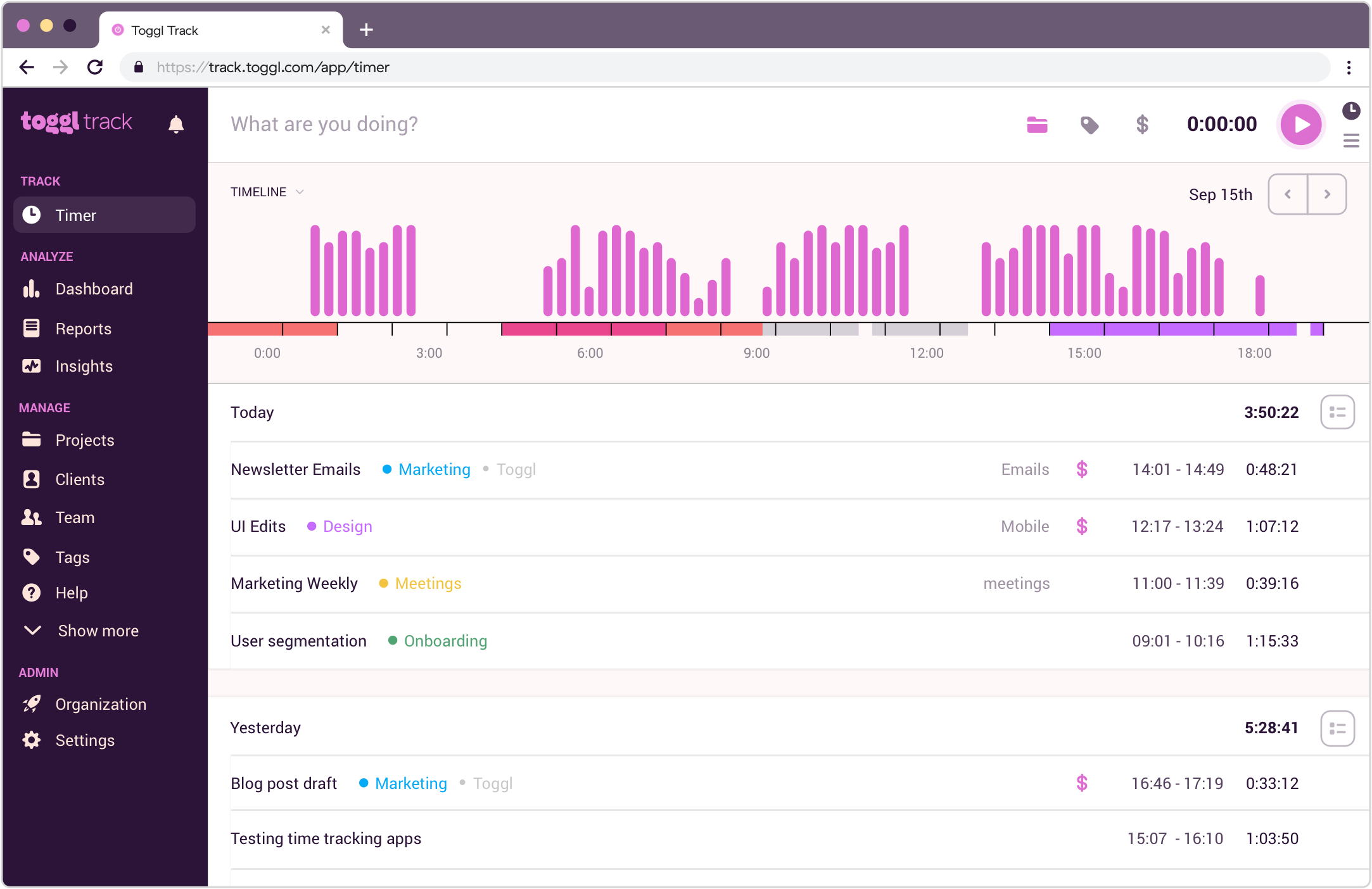
Toggl Track is a dedicated time tracker used across consulting, design, development, and marketing. The browser extension integrates with over 100 tools, so you can start a timer without leaving whatever app you are already working in.
The catch? Your ability to bill clients depends on the paid tier you choose. On the Free plan, you can only create invoices. Billable rates and time rounding kick in from the Starter plan at $10/month. Fixed-fee projects, profitability analysis, timesheet approvals, and scheduled reports all sit behind the Premium plan at $20/month.
What Toggl Track does well
- Easy to use
- Time rounding and billable rate settings on the Starter plan
- Clean reports by client, project, and date range
- Available on Mac, Windows, iOS, and Android
Where Toggl Track falls short
- No native invoice connection. You will need an integration with FreshBooks, QuickBooks, or similar
- Locks valuable billing features behind higher tiers, forcing you to upgrade
- No automatic time tracking on mobile
Clockify
| Starting price | Free / $4.99/month (Basic) / $6.99/month (Standard) / $9.99/month (Pro) |
| Free trial | 7 days |
| Best for | Consultants who want time tracking at the lowest possible cost |
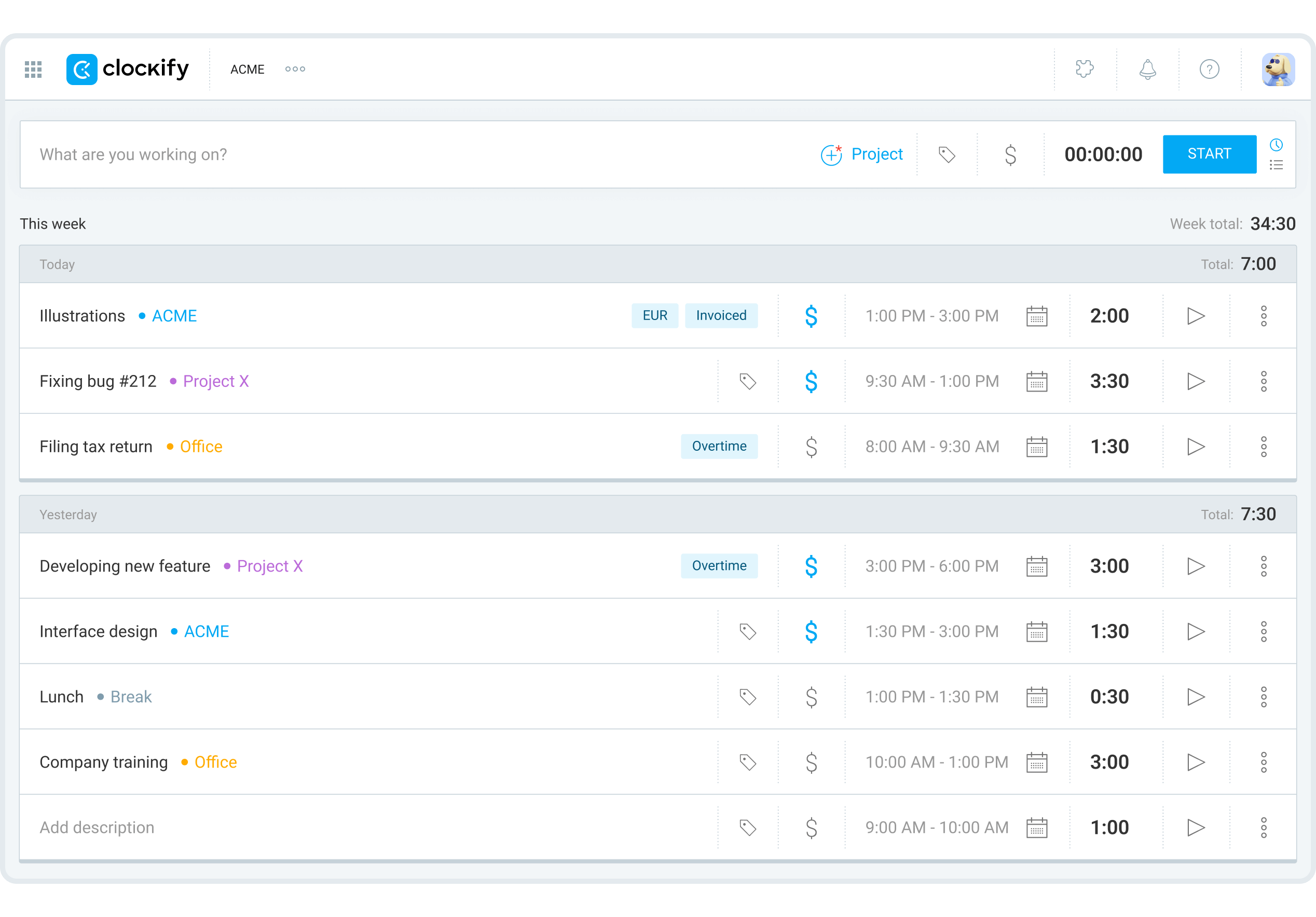
Clockify is a solid choice if you are on a budget. The free plan comes with unlimited time tracking, projects, and clients, and it syncs with your calendar and other apps. For a consultant who wants to start time tracking before committing to a paid tool, the free plan gives you enough to work with.
The cracks appear once you need billing functionality. Billable rates are available on the Basic plan ($4.99/month), but you cannot invoice unless you upgrade to Standard ($6.99/month), and you cannot send a recurring invoice or use the scheduler unless you are on Pro ($9.99/month).
For a consultant on a budget, Standard is the bare minimum. It gives you the cheapest functional billing option on this list.
What Clockify does well
- The plans are affordable for early-stage consultants
- Available on browser, desktop, and mobile
- Time rounding is available on Standard and above
Where Clockify falls short
- Billable rates, invoicing, and rounding each unlock at different tiers, so the plan you need depends on how you bill
- Recurring invoices, scheduling, and expenses require Pro
- Rounding is applied at the report and invoice stage, not automatically on each time entry as it is logged
- Multiple currencies require Pro
Harvest
| Starting price | Free / $11/month (Teams) |
| Free trial | 30 days |
| Best for | Time-to-invoice without extra steps |
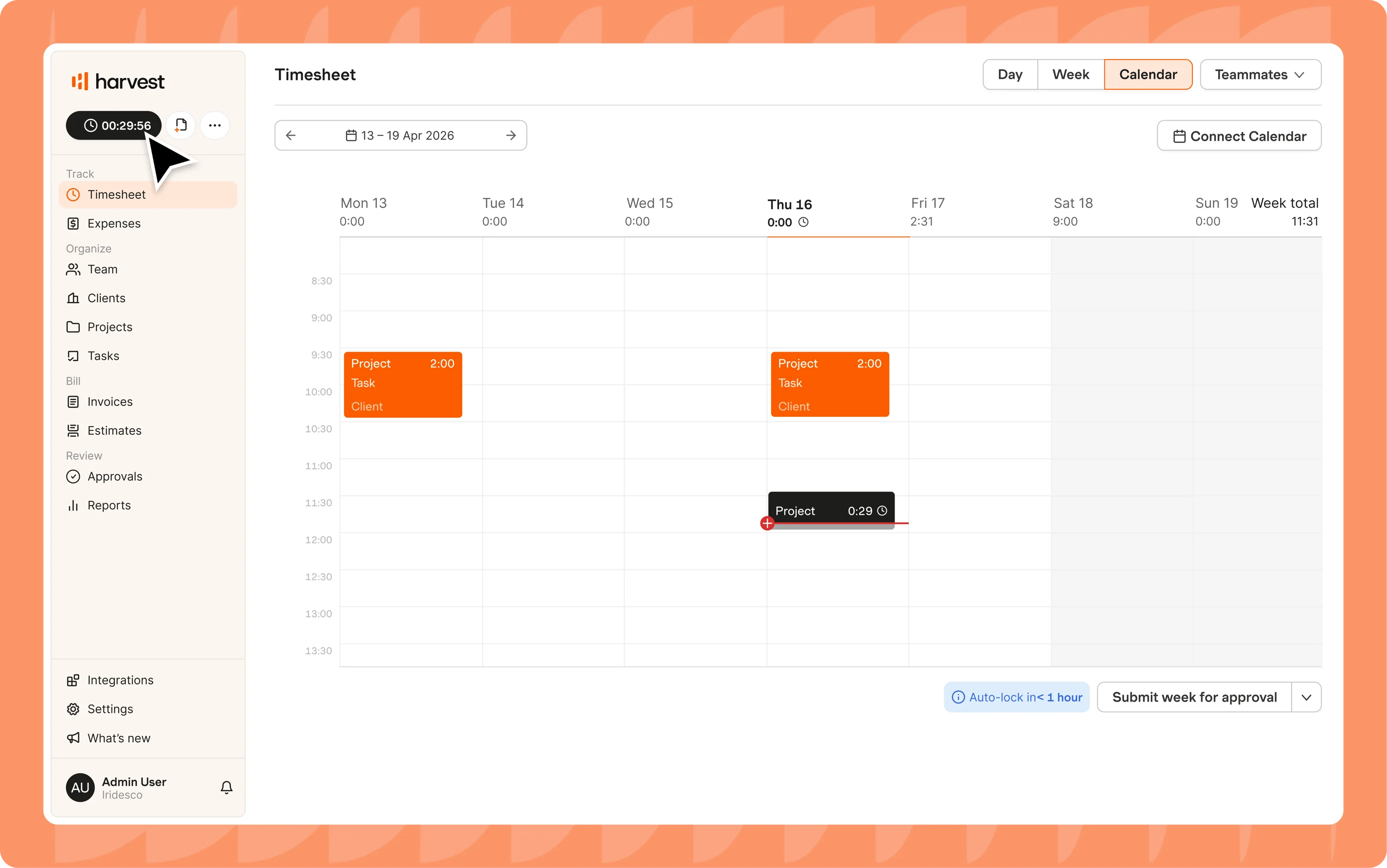
Harvest is an easy-to-use time tracker and invoicing tool that has been around since 2006. For a solo consultant with one or two active clients, the free plan covers the basics. You can log time against a client and project, invoice, and keep track of all your expenses. Harvest also pulls your time-tracking data into invoices, helping you avoid a manual export step.
One thing to keep in mind is that the free plan only includes two projects. By the time you land your third client, you will need to upgrade to the Teams plan at $9/seat/month (billed annually), which comes with unlimited time tracking, invoicing, billable and cost rates, and accounting integrations with QuickBooks, Xero, and Stripe.
Bending Spoons acquired Harvest in July 2025. The company has a documented pattern of raising prices across its portfolio after acquisition, and current customers have already seen steep price increases.
What Harvest does well
- Time tracking connects natively to invoices, no integration or manual export required
- The free plan includes invoicing
- Configurable rounding at 6, 15, or 30 minutes at the account level
- Supports different billing rates per project and per task
- Budget alerts when a project approaches its ceiling
Where Harvest falls short
- Profitability reporting is Enterprise only at $14/seat/month
- Usage-based pricing on invoices, projects, and clients beyond the base rate, with thresholds not publicly listed
- You will need a paid plan once you have more than two clients
Bonsai
| Starting price | $15/month (Basic) / $25/month (Essentials) / $39/month (Premium) |
| Free trial | 7 days |
| Best for | Time tracking with other premium business features |
There is a key difference between Bonsai and the other time-tracking tools for consultants. It is not a time-tracking tool. That is only one part of its functionality.
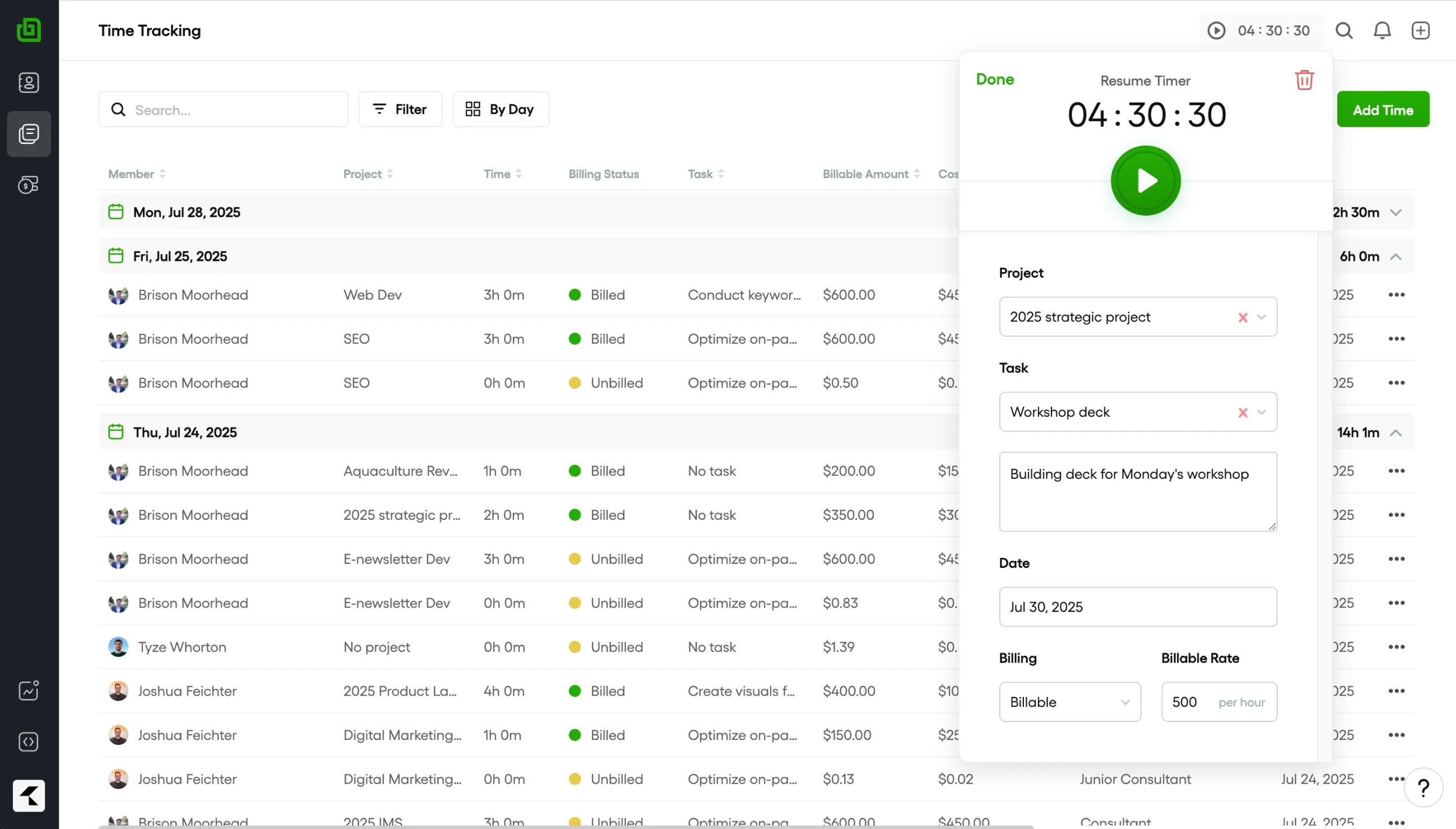
Bonsai is an all-in-one freelancing platform. It covers time tracking, invoicing, contracts, proposals, expenses, and client management. It is a good option if you want to consolidate your tech stack into one tool. To access invoicing and contracts, you will need the Essentials plan ($25/month). The Basic plan ($15/month) only gives you time tracking and a CRM.
One thing Bonsai gets right is its time rounding. When you open the invoice, you can choose your increment (15 minutes, 30 minutes, or 1 hour). However, it is not a default setting, so you will need to apply it to every invoice every single time.
For a deeper look, read our HoneyBook vs Bonsai vs Dubsado comparison.
What Bonsai does well
- Time tracking flows natively into invoices with no manual export
- Supports different billing rates and non-billable time splits on the same project
- Contract and proposal templates
- Available in 180 countries
Where Bonsai falls short
- Invoicing requires higher-tier plans
- Time rounding is applied at the invoice stage only, not automatically on each logged entry
- Per-user pricing compounds quickly if you bring in a subcontractor
Timely
| Starting price | $11/month (Starter) / $20/month (Premium) |
| Free trial | 14 days |
| Best for | Automatic time tracking without manual timers |
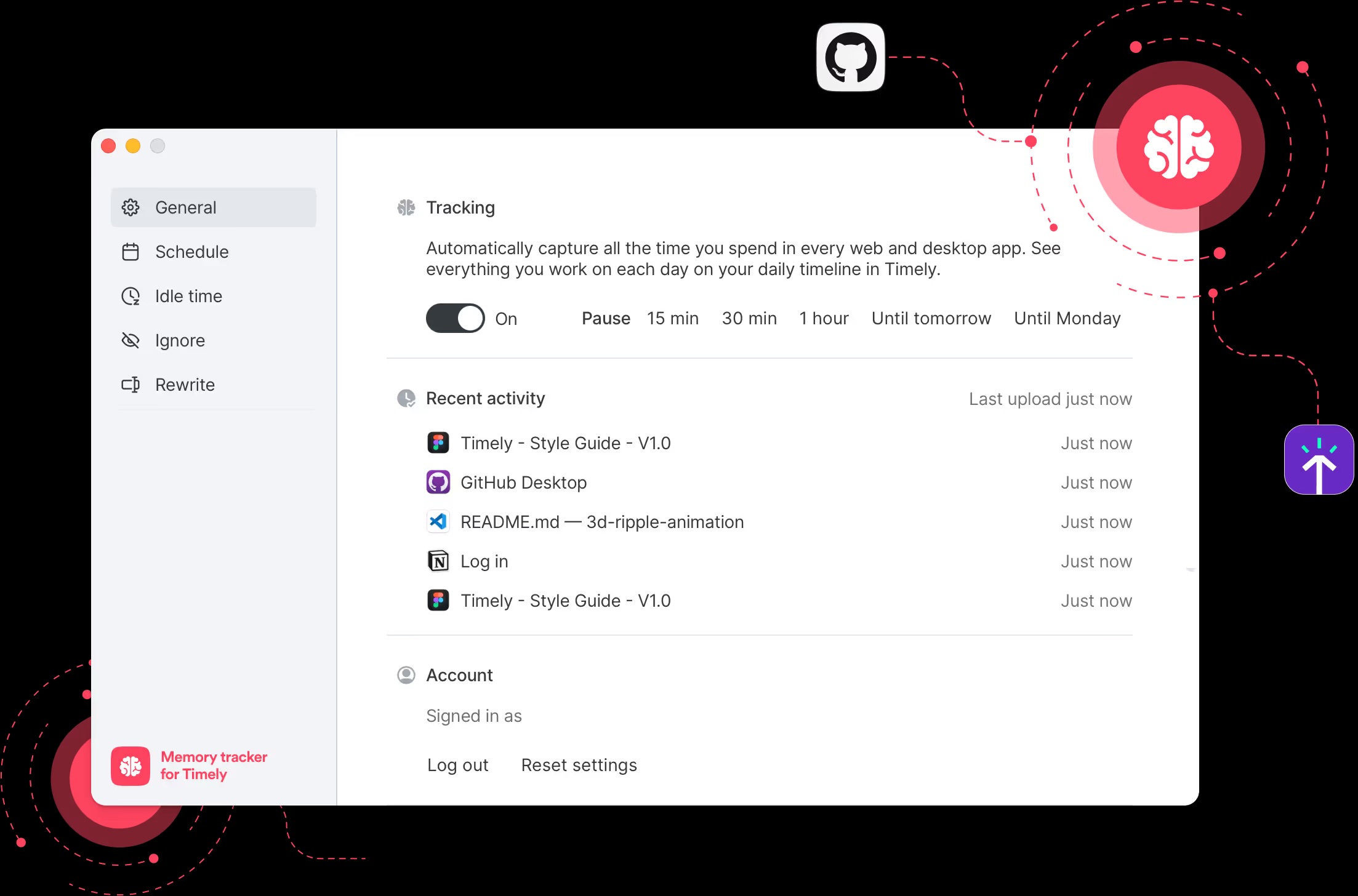
Timely is an automatic time tracker. Instead of manually clicking a start and stop timer, the Memory Tracker runs in the background on your computer. It records every app, document, and website you visit. At the end of the day, you have a visual timeline of where your time was spent, and you can drag and drop entries into the appropriate timesheet.
There are two limitations to consider:
- Timely has no native invoicing option. You will need a separate tool like QuickBooks, which widens your time-to-invoice gap.
- There is no increment rounding. You will need to enforce your rounding rule manually.
What Timely does well
- Automatic time tracker
- AI-generated timesheet drafts reduce manual data entry
- A visual timeline makes reviewing your day fast
- Available on Mac, Windows, iOS, and Android
Where Timely falls short
- No native invoicing on any plan
- No billing increment rounding, by design
- Background tracking captures everything, including personal computer activity, which needs editing out
Kiaro
| Starting price | Free forever / $29/month (Solo plan) |
| Free trial | Not needed |
| Best for | Time tracking built around the consultant-client billing relationship |
Every other tool mentioned is built for a broad market. Sure, consultants can use any of the above, but none was made with consultants in mind.
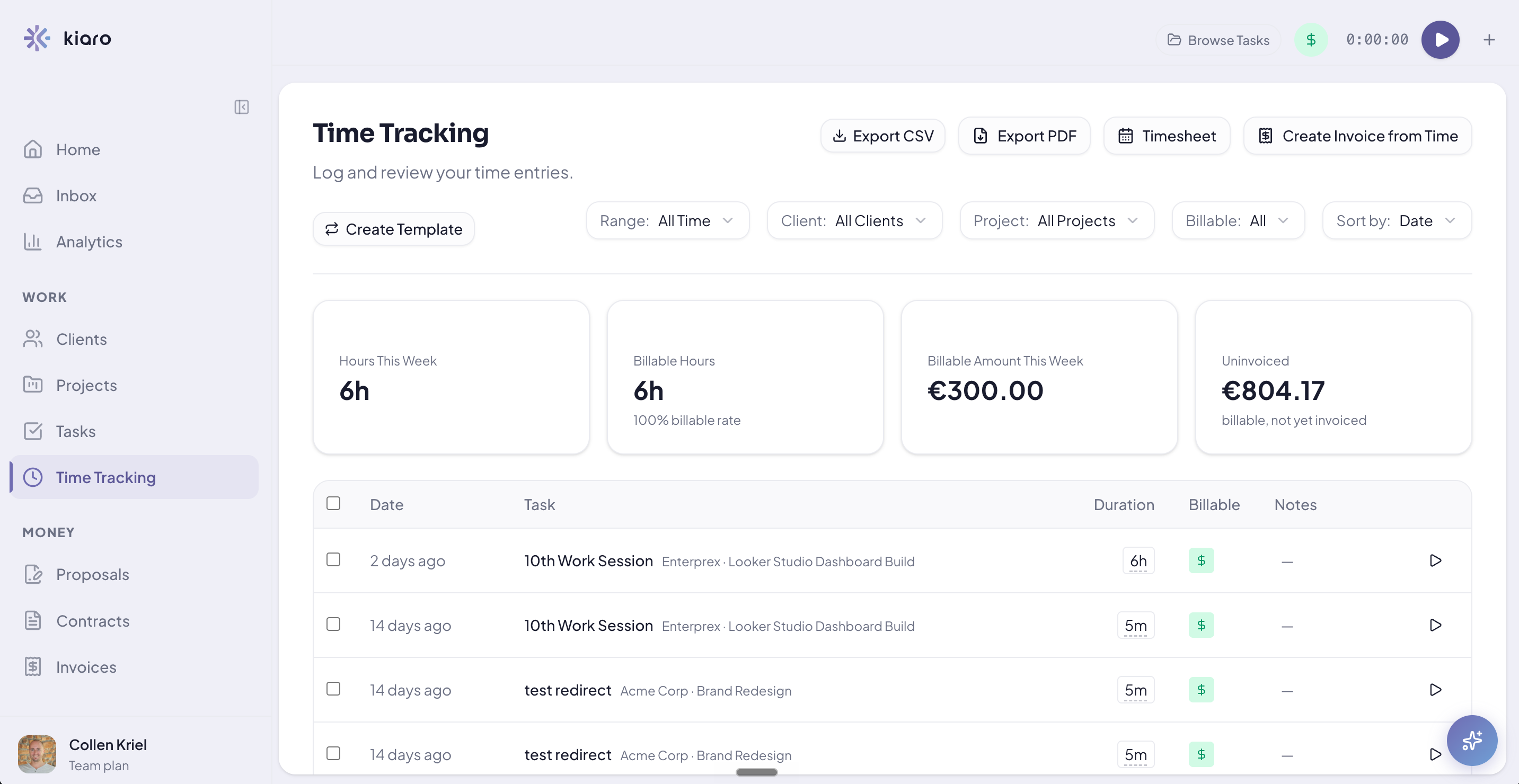
Kiaro is different. It is a business management suite for consultants, built by and for consultants. What does that mean in practice? You get time tracking, and every entry you log connects directly to a client, project, and invoice. Billing and rounding controls are applied to every entry, not only when it is time to invoice. There is no extra export step, no manual transfer, and no additional tool.
The free plan runs the full client workflow with no time limit: time tracking, invoicing, contracts, proposals, and the client portal, plus unlimited invoices, projects, and retainers, free for your first three active clients. No other tool on this list gives you the whole lead-to-paid workflow at no cost.
What Kiaro does well
- Time tracking connects natively to clients, projects, and invoices in one workflow
- Billing increment and rounding controls are enforced automatically on every entry
- AI command bar for natural language time entry
- Unlimited invoices, projects, and retainers on the free plan, with no time limit
- Contracts, proposals, and the client portal are included in the free plan
Where Kiaro falls short
- No native mobile app
- Newer to the market, with fewer third-party integrations
Which time tracking tool fits how you bill?
The right time tracking tool for your consulting business is the one that fits your budget, how you charge clients, and how you work.
If you bill hourly and invoice in a separate tool, Toggl Track's Starter plan at $9/month (billed annually) covers everything you need. For the lowest-cost option, Clockify on Standard at $5.49/month (billed annually) gets the job done.
If you want time flowing into invoices without a manual export step, try Harvest. If you consistently forget to start a timer, Timely solves the problem, but you will need an additional invoicing tool.
If you want time tracking, invoicing, and contracts in one place, Bonsai is an option, but it is expensive and gates features behind higher tiers. If you want a billing workflow built specifically for consultants, Kiaro is free and gives you access to a complete business management suite.
Frequently asked questions
Can time tracking software help if I charge fixed-price project fees rather than hourly?
Yes. Even on fixed-fee projects, tracking your hours tells you whether you are pricing correctly. If a $3,000 project consistently takes 30 hours, your effective rate is $100 an hour. Tracking time on fixed-fee work also gives you the data to push back on scope creep.
What is the difference between a timer and a timesheet?
A timer captures time as it happens using a start and stop button. A timesheet is filled in manually, either at the end of the day or the end of the week. Timers win on accuracy because the input happens in real time. Timesheets rely on memory, and memory consistently underestimates how long things took.
Do I need a dedicated time tracking tool, or will my project management tool do?
Most project management tools like Notion and Asana include basic time tracking, but they lack the billing rate controls, invoicing connections, and rounding rules consultants need to run their practice. A billing-first tool like Harvest or Kiaro protects more of your revenue than a project management tool will.