The best invoicing software for consultants comes down to functionality. Do you only need a bare-bones invoicing tool? Then Zoho Invoice and Stripe Invoicing fit the bill. But if you want flexibility in how you charge, no tech stack bloat, and to take payments from your invoice, use an all-in-one tool with built-in invoicing like Kiaro or Bonsai.
How often do you make a mistake on your invoices?
It happens to the best of us. You forget to manually fix your billing increments, turn on your time tracker, or human error gets the best of you when exporting your timesheet from Excel into your invoicing tool.
The gap between the two creates a massive money leak and eats into your billable time. It happens because the numbers don't flow between tools or you're using software that doesn't allow you to bill like a consultant.
That's why finding the right invoicing software for your consulting business is so important. It helps you avoid leaving profits on the table and fits into your workflow without creating bottlenecks.
Here is a look at six of the best invoicing tools for consultants, their strengths and weaknesses, and which one suits how you run your business best.
Quick overview: the best invoicing software for consultants
Short on time? Here is a look at the best invoicing tools on the market.
| Tool | Best for | Starting price | Free Plan | Invoice with built-in payment | Built-in time tracking |
|---|---|---|---|---|---|
| Freshbooks | Basic Invoicing with light bookkeeping | $23/month (Lite) / $43/month (Plus) / $70/month (Premium) | No (30-day trial) | Yes (cards, ACH, Apple/Google Pay, PayPal) | Yes |
| Zoho Invoice | Budget-conscious consultants who only need invoicing | $0 | Yes (free forever, 5-client cap) | Yes (via Stripe, PayPal and others) | Yes |
| Stripe Invoicing | Consultants whose clients pay by card and want no subscription | 0.4% per paid invoice | Yes (no monthly fee) | Yes (cards, ACH) | No |
| Harvest | Basic time tracker to invoicing option | Free / $11/month (Teams) | Yes (1 seat, 2 projects) | Yes (via Stripe, PayPal) | Yes |
| Bonsai | Consultants who want contracts, proposals, and invoices in one platform | $15/month (Basic) / $25/month (Essentials) / $39/month (Premium) | No (7-day trial) | Yes (cards, ACH) | Yes |
| Kiaro | Consultants who want billing tied to the whole client workflow | Free forever / $29/month (Solo plan) | Yes (Free tier) | Yes (via Stripe) | Yes |
Bill every minute you actually worked
Kiaro connects time tracking and invoicing in one place, with billing increments enforced automatically on every entry. Free forever with unlimited invoices, no credit card.
The Best Invoicing Software for Consultants in 2026
FreshBooks
| Starting price | $23/month (Lite) / $43/month (Plus) / $70/month (Premium) |
| Free trial | No, 30-day trial |
| Best for | Basic Invoicing with light bookkeeping |
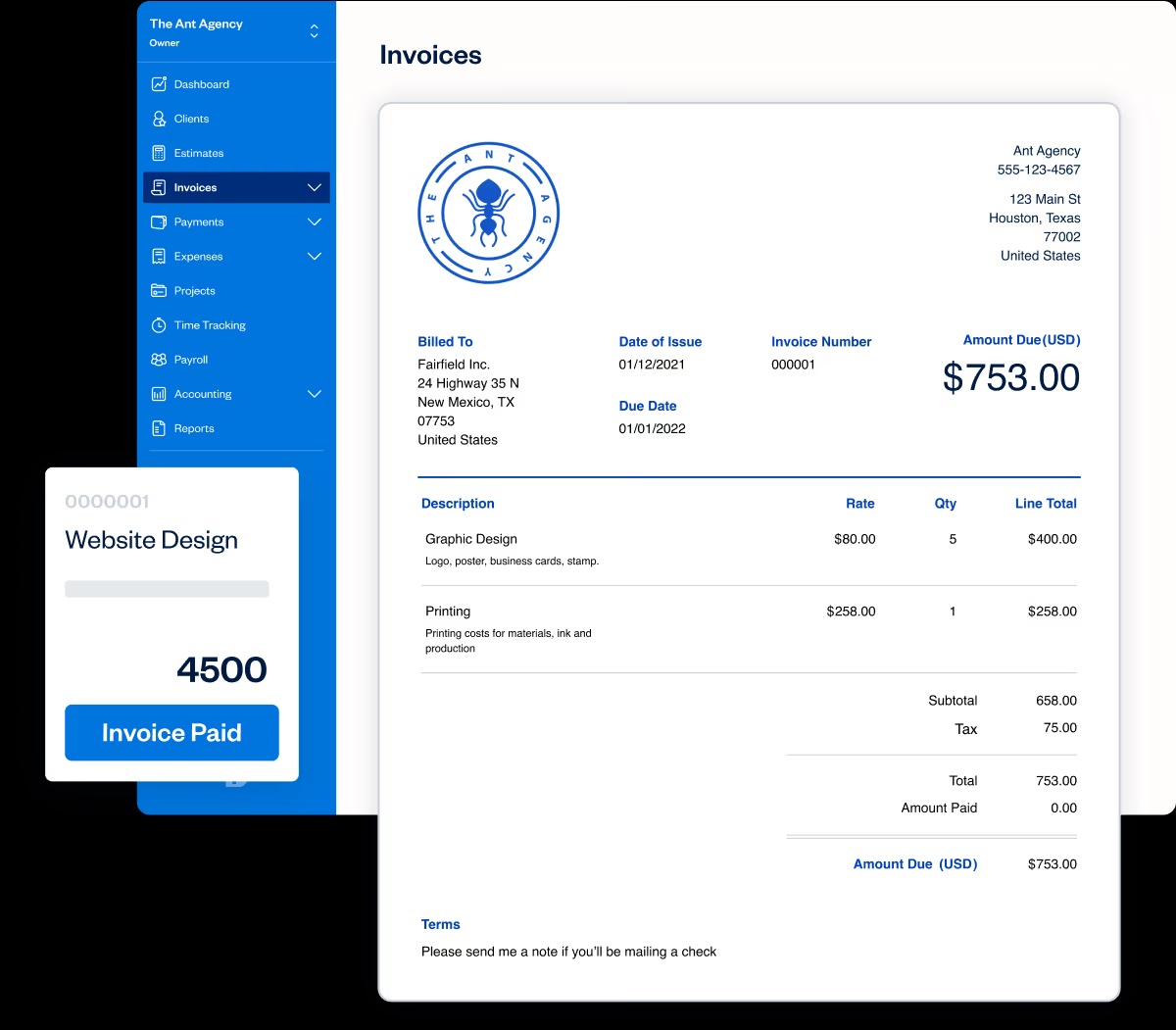
FreshBooks is one of the most popular invoicing options for consultants. It has invoicing, online payments, expense tracking, basic bookkeeping and a built-in time tracker all in one place.
However, it's accounting software first. It's not built with consultants in mind.
You won't have all the features you'll need to manage your client workflow from start to finish, and you'll be paying for accounting functionality you won't use.
While that's not a problem when you're starting out, it sets you up for a bloated tech stack down the line and for paying for multiple subscriptions instead of an all-in-one tool.
What FreshBooks does well
- Invoicing with online payments and automated reminders
- Recurring invoices and late-fee automation
- Light bookkeeping and expense tracking
- Professional invoicing templates
Where FreshBooks falls short
- The Lite plan caps you at five billable clients
- It's accounting software, and you'll pay for ledger features you might never use
- Doesn't manage the entire client workflow; you'll need to add other tools to your stack
Zoho Invoice
| Starting price | $0 |
| Free trial | Free forever |
| Best for | Budget-conscious consultants who only need basic invoicing |
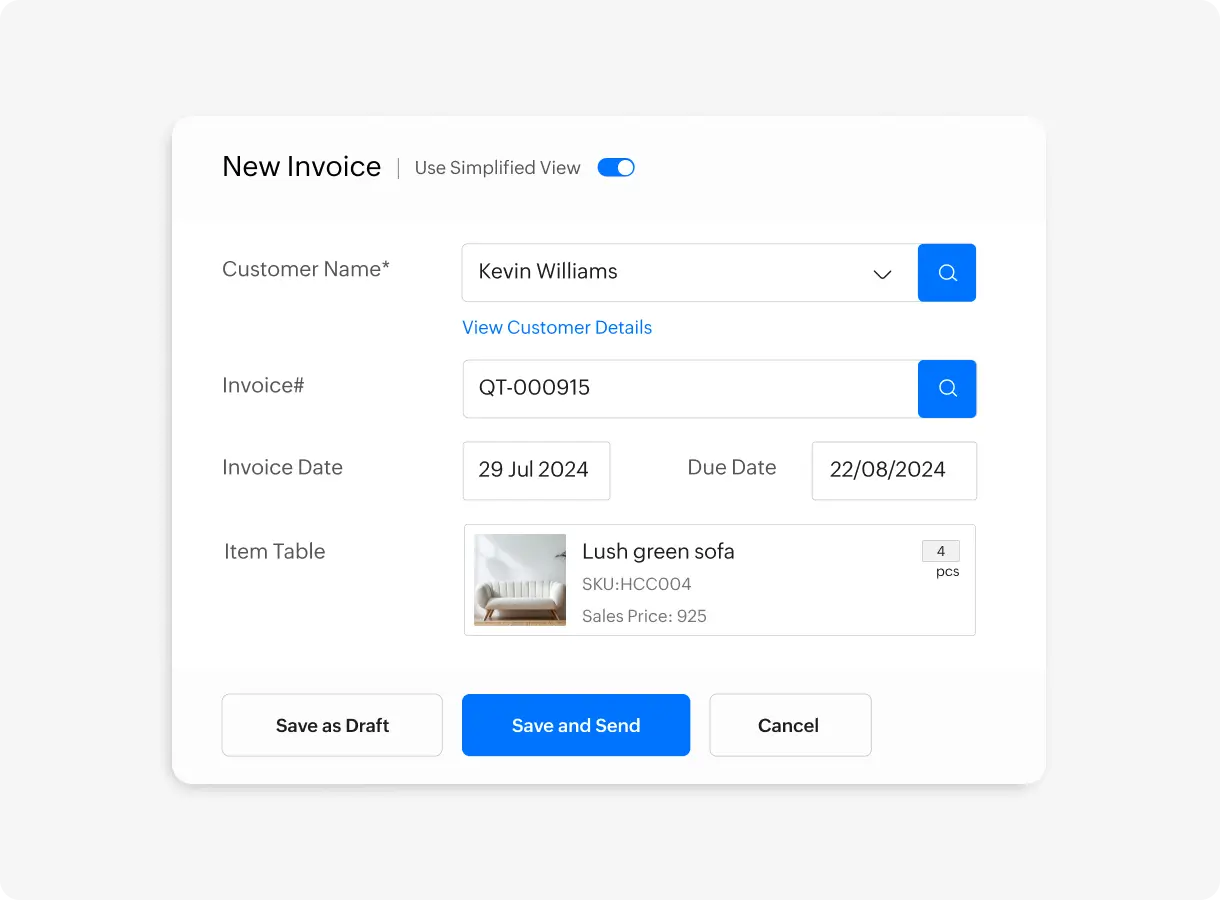
Zoho Invoice is a free, standalone invoicing software. There is no free trial or payment plan tiers. Once you sign up, it's free forever, as long as you don't go over the account thresholds.
For a new consultant still growing their client base, it's a viable option and gives you space to test your workflow. However, you need to consider if having a free tool now is worth the pain of migrating to a paid option once you outgrow Zoho Invoice.
If you want to stay within the Zoho ecosystem, you'll need to move to Zoho Billing. It's more feature-rich billing software for growing businesses, but you'll still need other tools to manage proposals, contracts, etc.
What Zoho Invoice does well
- A complete invoicing workflow at zero cost
- Set up an account and send an invoice within minutes
- Built-in time tracker feeds straight into invoices
Where Zoho Invoice falls short
- There is a cap of three projects and 500 invoices per year
- For advanced invoicing, automation and multi-currency transactions, you'll need a separate tool, Zoho Billing
- Can only send invoices through email or save as a PDF
Stripe Invoicing
| Starting price | 0.4% per paid invoice |
| Free trial | None |
| Best for | Consultants whose clients pay by card and want no subscription at all |
No two consultants bill the same.
It all depends on your industry, the work you do, and your clientele. For some consultants, only a straightforward invoicing tool is needed.
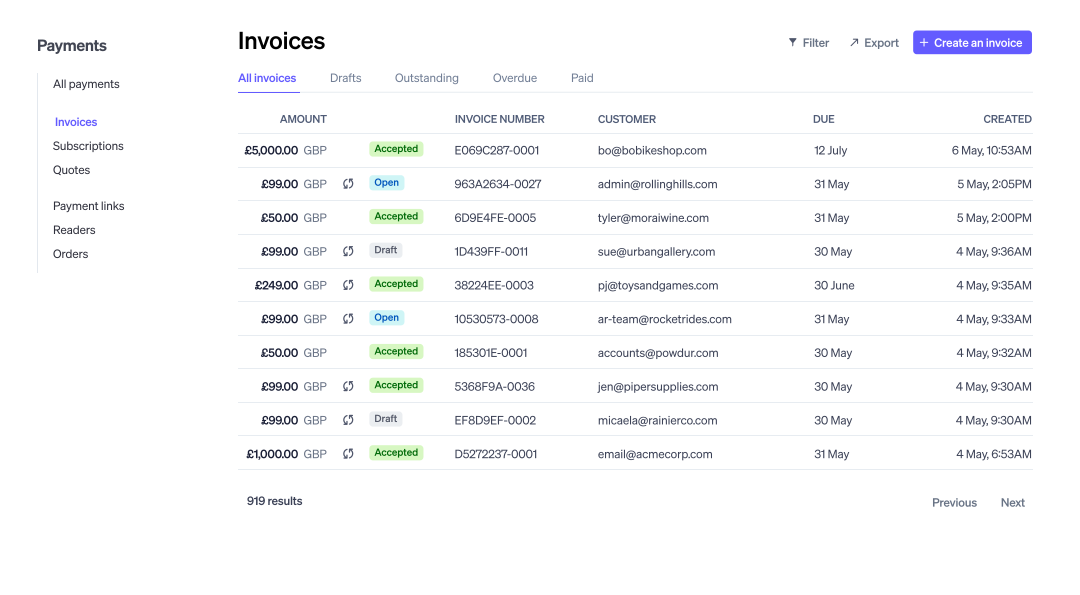
If that's you, Stripe Invoicing is worthwhile looking into. With no monthly subscription fee, you only pay 0.4% per paid invoice on the Start plan, plus standard card processing fees.
That's not a bad rate as long as you're only sending a handful of invoices per month and the values are on the smaller side.
What Stripe Invoicing does well
- No monthly fee
- Card payment is built into the invoice
- Strong international card support for consultants billing across borders
- Ability to send quotes and auto-reconciliation
Where Stripe Invoicing falls short
- No time tracking, no project view, or client management
- Two charges hit one paid invoice: the per-invoice fee and the processing fee
- Not suitable for consultants sending a high volume or large invoice values
Harvest
| Starting price | Free / $11/month (Teams) |
| Free trial | 30 days |
| Best for | Basic time tracker to invoicing option |
Harvest is one of the OG time-tracking-to-invoicing tools. It's a great option for consultants who bill by the hour and don't want any other workflow or accounting functionality.
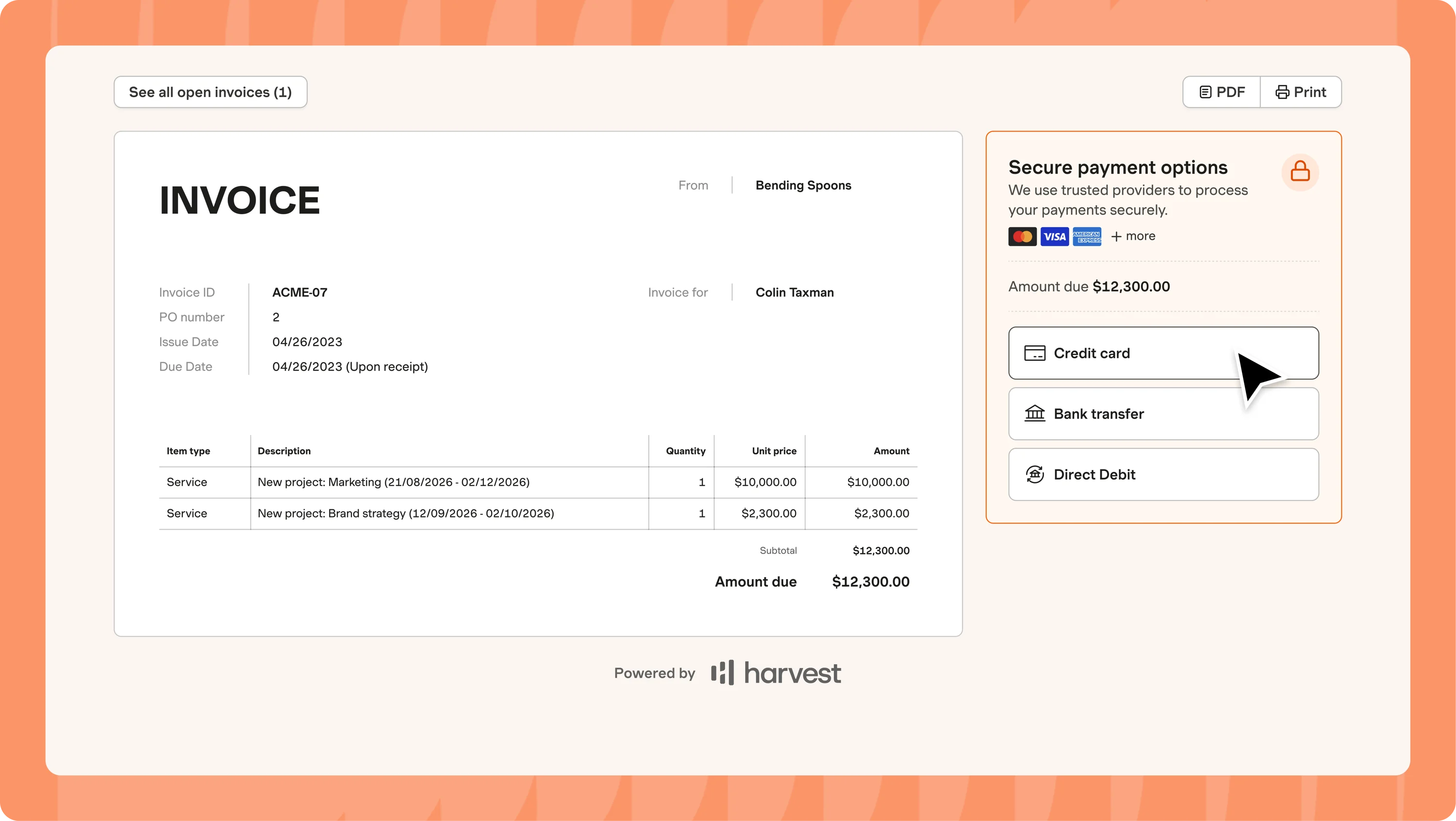
The software lets you track time against a client and a project, turn it into a payable invoice with line items showing the data, description and hours.
Harvest is also one of the few options that gives you access to invoicing features on the free plan. The only caveat is that you're limited to two clients before you'll need to upgrade your plan.
What Harvest does well
- The free plan includes invoicing functionality
- Time tracking connects natively to invoices
- Supports different billing rates per project and per task
- Reporting on billable versus non-billable time
Where Harvest falls short
- The free plan is limited to two clients
- Usage-based pricing on invoices, projects, and clients
- Steep price increases since the Bending Spoons acquisition
Read more: Harvest alternatives for freelance consultants who have outgrown it
Bonsai
| Starting price | $15/month (Basic) / $25/month (Essentials) / $39/month (Premium) |
| Free trial | 7 days |
| Best for | Solo consultants who want proposals, contracts, and invoices in one place |
One of the biggest drawbacks of standalone invoicing tools for consultants is their siloed nature. It only does one thing, which, over time, increases your overheads as your tool stack grows.
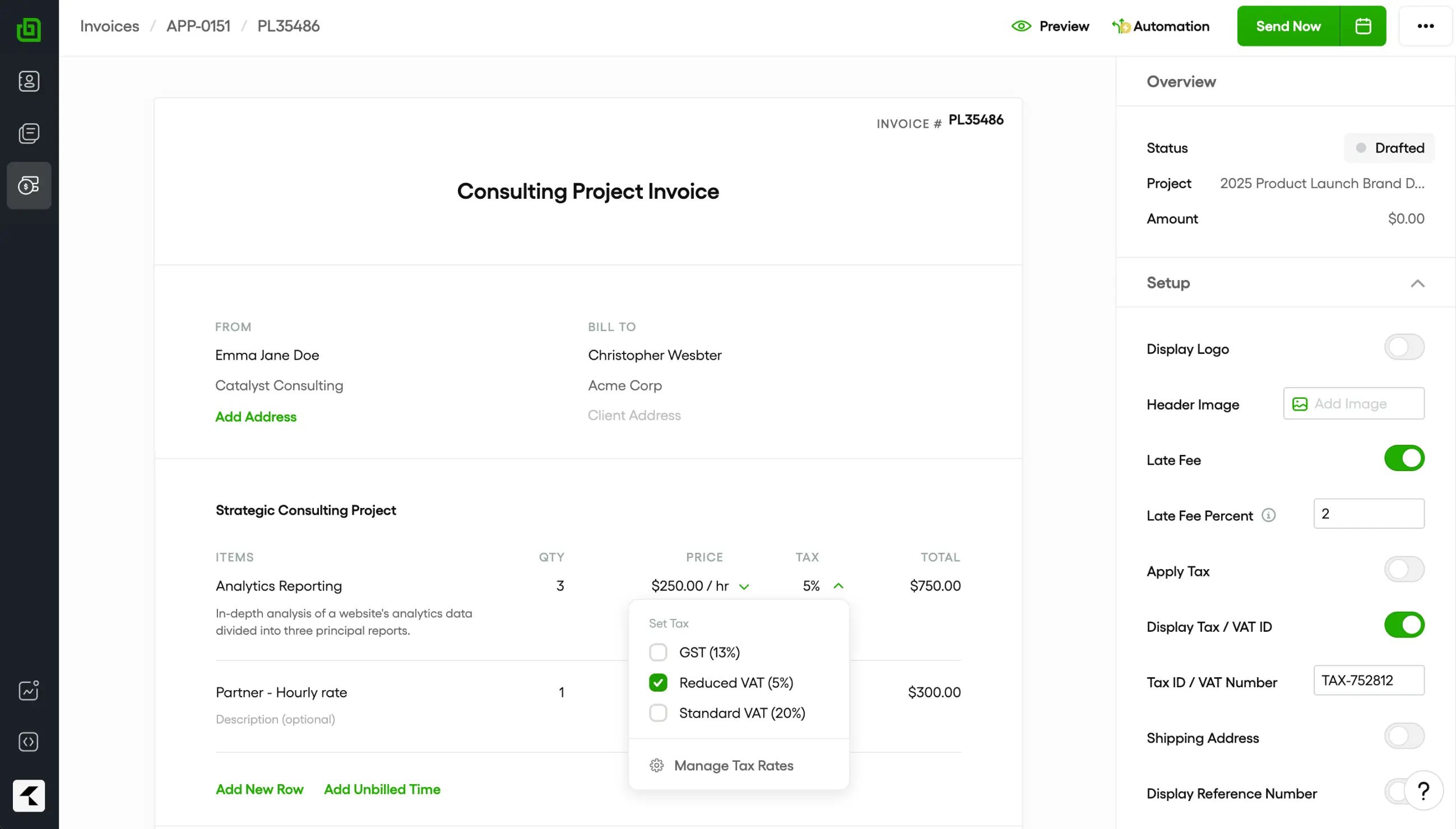
Bonsai gives you an all-in-one solution. From a single dashboard, you can create a proposal, draw up a legally binding contract, and bill your clients. It keeps all your paperwork together and gives you access to other tools for expense and time tracking.
The downsides? Bonsai is not as cheap as Zoho or FreshBooks, and you can access invoicing functionality only from the Essentials plan and above.
If you sell prepaid hour bundles, one thing to keep in mind is that there is no clean prepaid retainer draw-down functionality.
What Bonsai does well
- Time tracking flows natively into invoices
- Clients can pay via Stripe or PayPal directly from the invoice and leave a tip
- Supports multiple billing rates and non-billable splits
Where Bonsai falls short
- Invoicing requires the Essentials plan or higher
- Per-user pricing compounds quickly for consultants with small teams
- Does not support prepaid retainer draw-down
Read more: HoneyBook vs Bonsai vs Dubsado: an honest comparison for solo consultants
Kiaro
| Starting price | Free forever / $29/month (Solo plan) |
| Free trial | Free plan forever |
| Best for | Consultants who want invoicing connected to the rest of the client workflow |
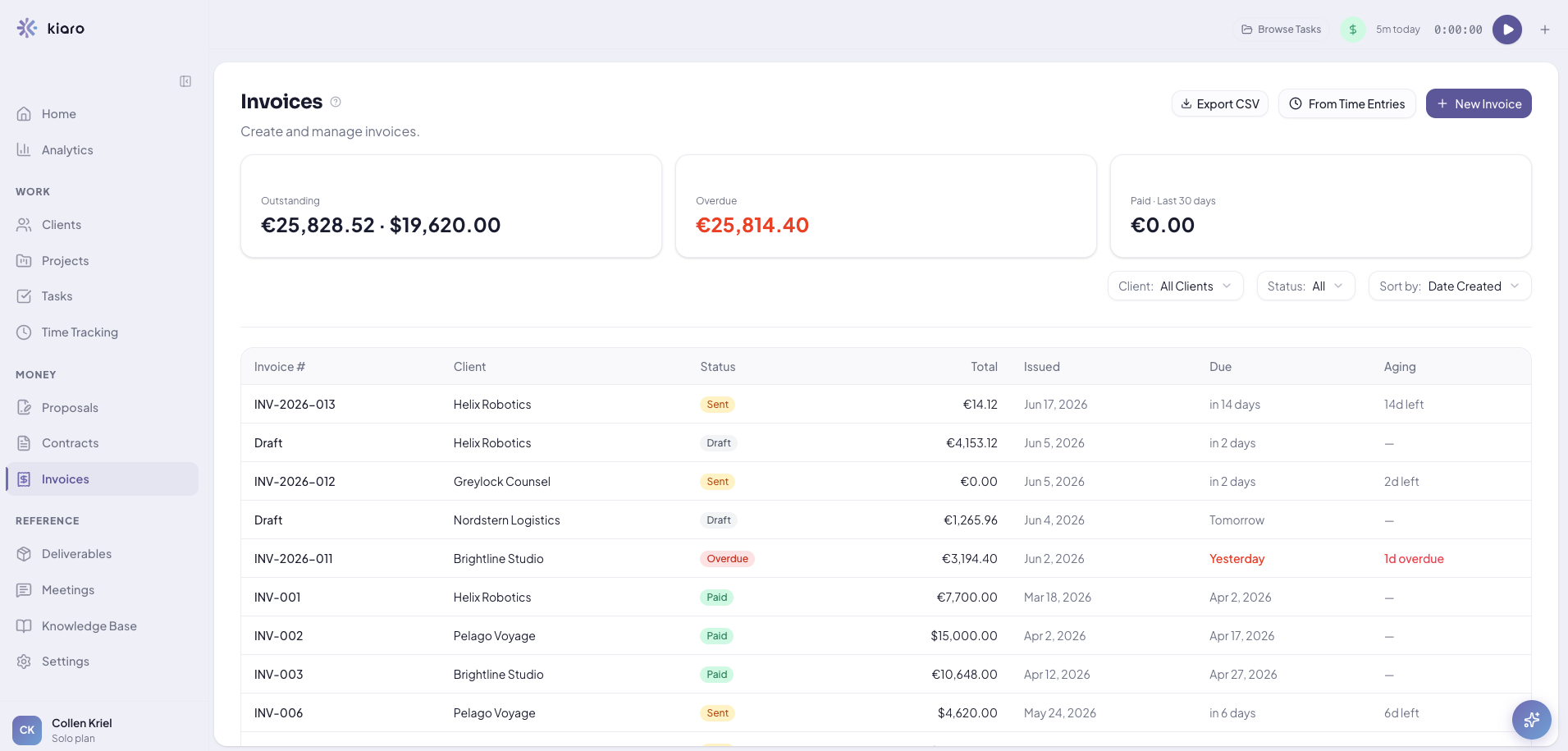
Kiaro is a business operating system for solo consultants and small agencies, helping you beat tech stack bloat. Instead of your time tracking sitting in one app, your projects on a Trello board, your invoices somewhere else, Kiaro pulls everything together into a single workflow.
With a free, forever plan, you only need to upgrade to a paid plan when your business is ready. In the meantime, you get access to all the features you need to grow your consulting business, and you don't need to worry about migrating once you've hit a threshold or paying for features you don't use.
What Kiaro does well
- Native time tracking flows directly into invoices
- Billing increment and rounding controls are enforced automatically
- Free plan forever gives you access to all the tools you need to manage client workflow
Where Kiaro falls short
- The free plan is capped at 3 active clients
- Newer to the market
- Fewer third-party integrations
Which Invoicing Software is the Best Fit for Your Consulting Business?
The right invoicing tool for your consulting business needs to fit your budget, your charging model, and your ideal workflow.
- If cost is your deciding factor, Zoho Invoice and Kiaro are two of the best options. Zoho's free plan covers up to five clients, while Kiaro runs the full workflow with unlimited invoices for your first three active clients.
- If you want zero monthly subscription fees and don't need any other workflow functionality, Stripe Invoicing is a solid choice.
- If you want a basic time-tracking-to-invoice tool, Harvest and FreshBooks are strong picks. Both are budget-friendly and give you the minimum you need to bill accurately.
- If you want to keep your tech stack lean and subscription costs to a minimum, go with an all-in-one business management tool like Bonsai or Kiaro. You'll get invoicing, contracts, proposals, client management, time tracking and everything else you need to run a consulting practice.
Frequently asked questions
What is the best free invoicing software for consultants?
Zoho Invoice and Kiaro are two of the best free options. Zoho covers invoicing for up to five clients, while Kiaro gives you the full consulting workflow, with unlimited invoices, projects, and retainers, free for your first three active clients.
Do I need accounting software or just invoicing software?
If you don't employ a bookkeeper and you only need to bill clients for your time, invoicing software is enough. Accounting software like QuickBooks adds features like a general ledger that you won't need if you hand your books to an accountant at year-end.
How do consultants avoid losing money on invoicing?
The biggest money leak for consultants is unbilled time or billing incorrectly. To fix it, use invoicing software that automatically turns tracked time into invoices and lets you bill in increments.